
Key Insights
When a Small Gap Becomes a Big Problem
The attack didn’t start with a breach; it began with a Teams message that looked like routine IT support. Moments earlier, the employee had been flooded with thousands of spam emails, rendering their inbox unusable. So when someone claiming to be an IT employee reached out through Microsoft Teams and offered help, the timing felt perfect. The user answered. The impersonator asked for remote access to “clear the issue.” Within minutes, ransomware was installed and systems were locked.
The attack didn’t hinge solely on social engineering—it also exploited underlying posture weaknesses. Incidents like this often succeed when quiet configuration gaps inside Microsoft 365 create conditions that allow an impersonator to appear credible.
Overly permissive external access in Teams can allow unknown users to initiate chats that present as internal. Conditional Access gaps such as missing device identity checks, loose client app restrictions, or absent geographic controls can reduce friction for an attacker. Inconsistent MFA enforcement, especially when number matching or application context is missing, can make fraudulent prompts harder for users to spot. And unnoticed drift across these settings can gradually weaken the guardrails organizations rely on.
Why Traditional Approaches Fall Short
Native posture tools surface raw data, not clear guidance. They list settings but rarely explain which ones matter, why they matter, or how attackers exploit them. Analysts must parse long dashboards, interpret vague compliance states, and manually review JSON diffs to understand what changed.
This slows threat hardening, as teams spend hours sorting noise from high-value findings. Drift events slip through because visibility is fragmented. And leadership lacks a simple, accurate view of risk or business impact. Security teams need posture management that is clearer, broader in coverage, and smarter in its reasoning.
Introducing Enhancements to Security Posture Management
We first introduced Security Posture Management to give organizations clearer visibility into the configuration states that shape identity and email security. It helped teams spot early drift and understand where posture was weakening.
Last quarter, we released a fully reimagined version of SPM with point-in-time assessments, clearer identification of exploitable gaps, and easier detection of drift across Microsoft 365. Customers have used it to uncover risky policies, tighten MFA, and reduce investigation time.
“This is awesome. It’s simpler than Microsoft Secure Score, gives you a clear view of what needs attention, and tells you exactly how to fix it. I made a couple of quick changes based on its recommendations. It would take a human a long time to do all this manually. This makes it simple and fast.“
— Michael Schleicher, System Administrator, Clair Global
Over the last several weeks, we’ve strengthened SPM again with new capabilities that help teams focus on what matters most by prioritizing posture issues according to true security impact, explaining why a configuration is non-compliant, pinpointing how settings have changed over time, and surfacing those changes through clear before-and-after analysis. Below, we break down what’s new.
1. Clear Priority Filters That Zero In on Real Risk
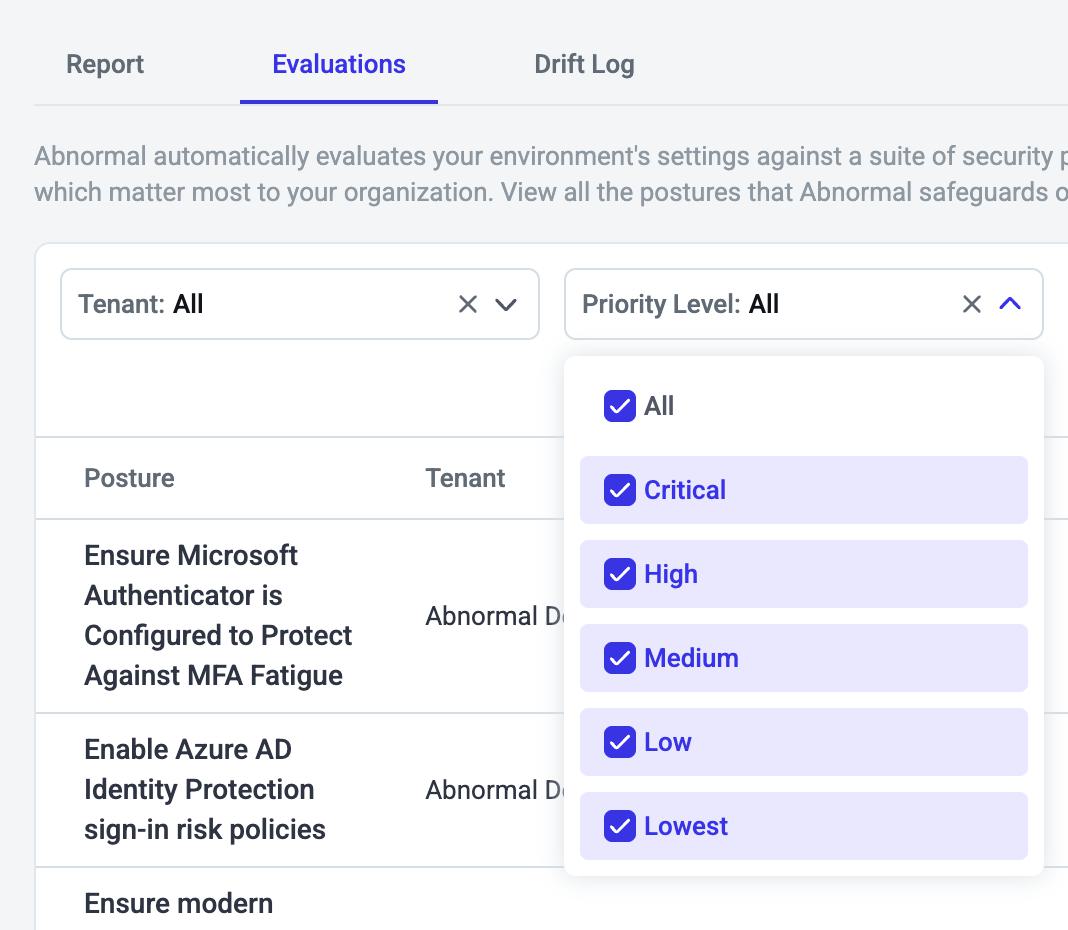
The Evaluations tab now includes Priority Level filters across Critical, High, Medium, Low, and Lowest, allowing your team to quickly focus on the posture issues that most influence account takeover risk. Each posture receives its priority through a consistent rubric that balances risk reduction with business cost, placing high-impact and low-effort fixes in the Critical tier. This helps teams spend time on the controls that deliver the strongest security gains with the least operational lift.
Example:
Ahead of tightening identity controls, your team filters to Critical and High postures. Within moments, they uncover gaps in MFA configuration and Conditional Access rules that attackers often exploit. By addressing these blind spots early, the team strengthens Microsoft 365 defenses before they can be abused.
2. Priority Assessment That Lists Security Impact and Business Cost
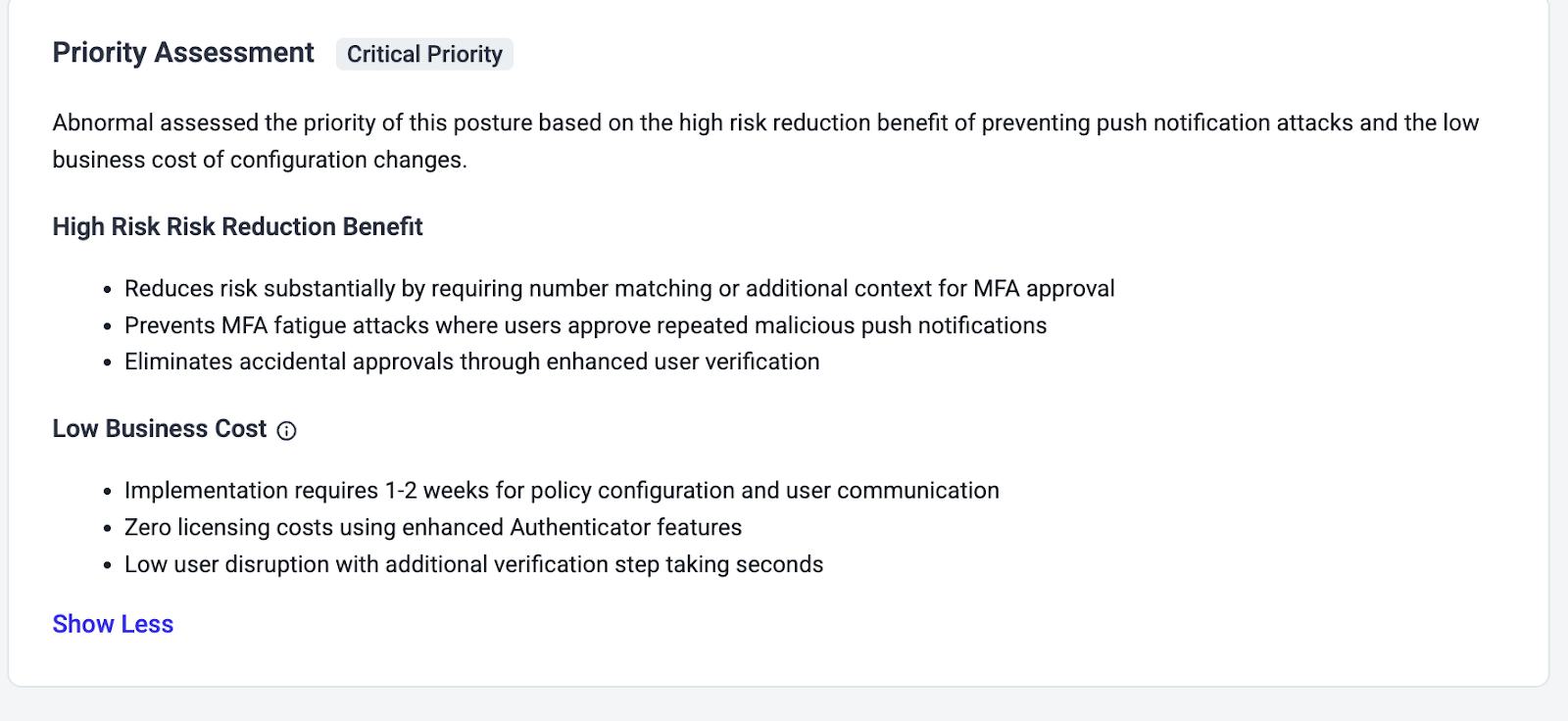
Every posture now includes a Priority Assessment card that explains why it is labeled Critical, High, or Medium, using clear descriptions of both risk reduction and business impact. This combines breach mitigation benefits with the expected rollout effort so teams can understand not just what to fix, but why it matters. This context gives Security, IAM, and IT leaders shared clarity to prioritize and approve the highest-value changes sooner.
Example:
While reviewing Priority Assessments, your IAM team sees that one posture offers significant risk reduction with minimal user impact. Instead of debating where to begin, they immediately target the posture that closes a meaningful security gap, accelerating the hardening of your Microsoft 365 environment.
3. GenAI Posture Evaluation That Makes Misconfigurations Clear
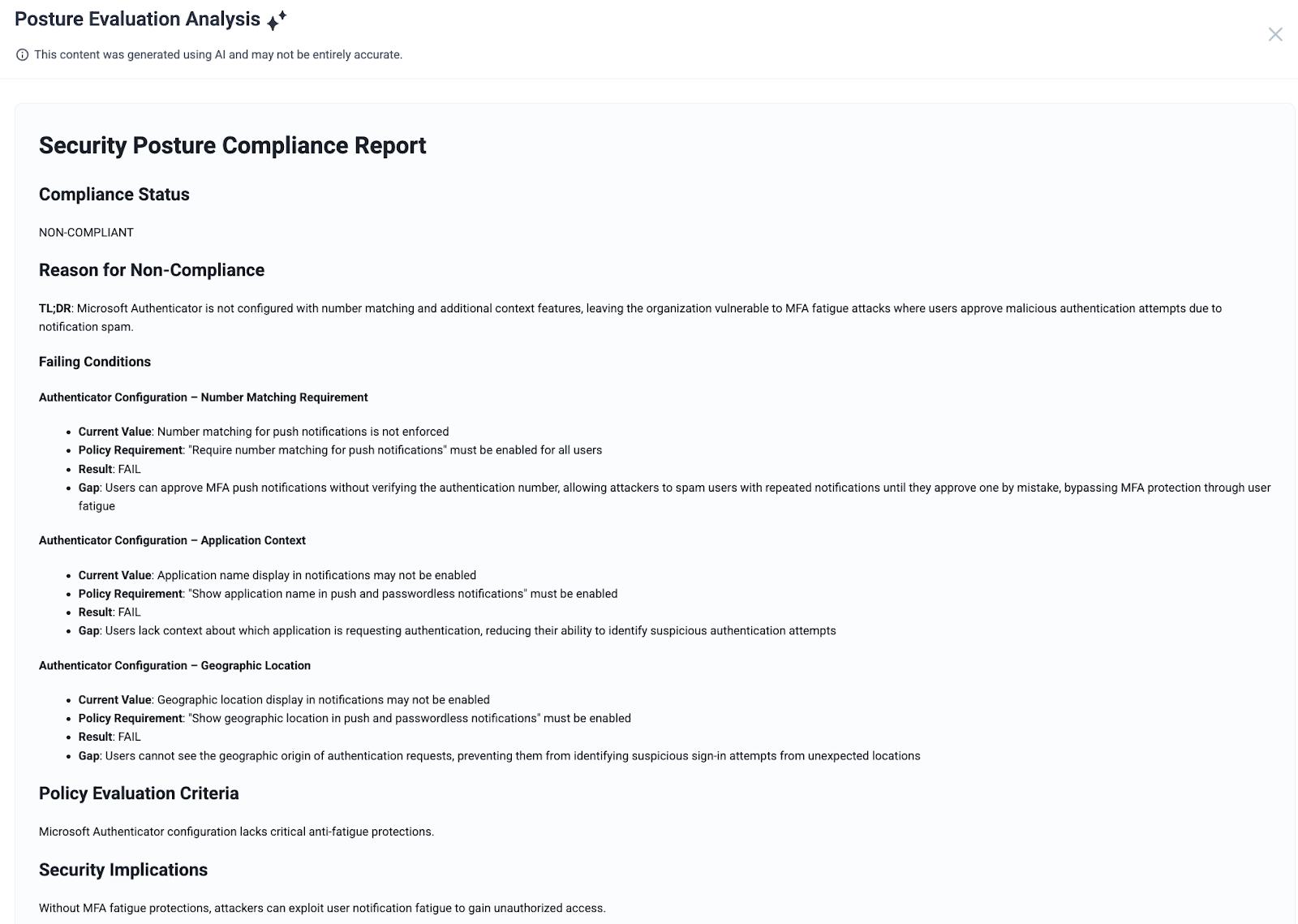
Selecting View Analysis opens a GenAI summary that translates non-compliance into simple, structured language. It provides a clear compliance status, a one-sentence TL;DR of the core issue, and a breakdown of each failing condition with current values, required values, and risk gaps. Analysts no longer need to navigate JSON or documentation, gaining immediate insight into what’s misconfigured and how that misconfiguration increases exposure.
Example:
During a routine posture audit, the GenAI analysis highlights that a Conditional Access policy is failing due to missing application context in MFA. This surfaces a blind spot the team had not previously recognized. With clear guidance in hand, they resolve the issue quickly and improve overall authentication security.
4. DriftBlock Change Analysis With Full Before-After Visibility
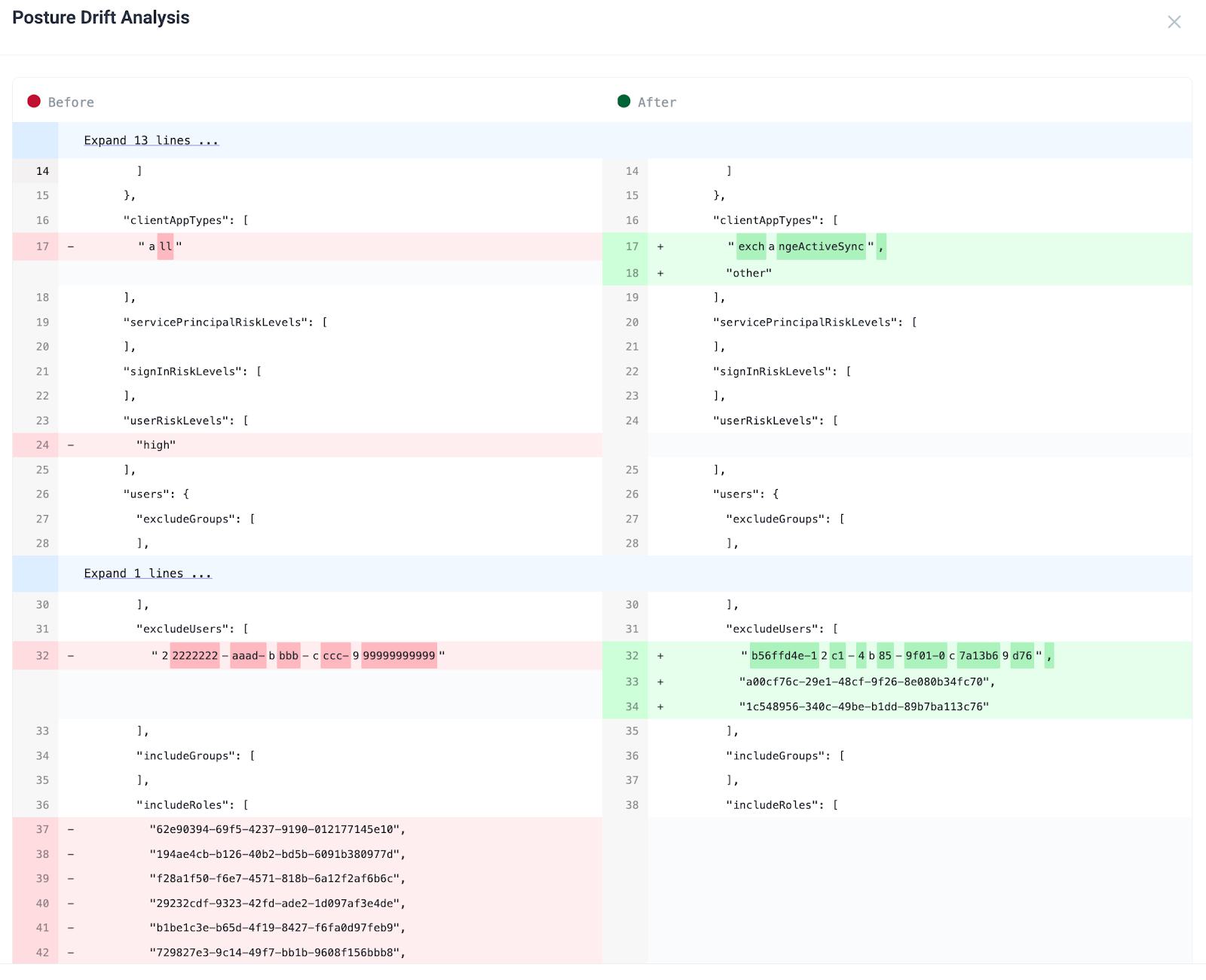
Drift Log now displays a complete before-after JSON diff for every configuration change, with additions in green and removals in red. This view makes it easy to see exactly what shifted and assess whether that drift strengthens or weakens posture. With precise, line-level visibility into changes, teams can catch risky adjustments early, validate approved changes, and maintain stronger control over identity configuration.
Example:
In Drift Log, an analyst notices a configuration change that re-enabled legacy client types. The before-after diff confirms a quiet weakening of Conditional Access enforcement. By catching the drift early, the team restores secure defaults and prevents attackers from exploiting outdated authentication paths.
Stronger Posture, Lower Effort, Higher Confidence
These enhancements make posture management clearer to understand, broader in coverage, and smarter in identifying what matters most. Security teams see risk sooner, reduce noise, and strengthen identity and email security without adding operational burden.
SPM gives your team sharper visibility, faster remediation paths, and confidence that small configuration gaps won’t quietly escalate into major risks.
To see how Abnormal can help strengthen your identity posture and reduce attack surface, request a personalized demo.
