Points clés
Microsoft 365 threat detection works best as a layered effort, since the platform's native protections alone don't catch every attack aimed at its accounts and apps. Between April 2024 and April 2025, Microsoft blocked $4 billion in fraud attempts and roughly 1.6 million bot-signup attempts per hour, a scale that reflects how aggressively modern cyber-attackers using AI probe the platform's massive user base for exploitable weaknesses.
Most common data breaches exploit misconfigurations, legacy protocols, and weak authentication controls that can evade Microsoft's default protections. Baseline controls can leave gaps that sophisticated attackers target through automated campaigns and AI-driven automated threat reconnaissance.
Behavioral threat detection can strengthen this security model by helping teams identify suspicious activity alongside Microsoft's native controls. This guide shares the best practices that tighten Microsoft 365 threat detection. Gaps in any one of these layers can give attackers a foothold that spreads across Outlook, Teams, SharePoint, and OneDrive before defenders have a chance to intervene.
Key Takeaways
Microsoft 365 defaults can leave configuration and authentication gaps that require additional controls.
Correlating risky sign-ins with subsequent account activity can help teams prioritize investigations.
Consent phishing campaigns abuse Open Authorization (OAuth) to gain tenant application programming interface (API) access through apps disguised as legitimate productivity tools.
Privileged Identity Management replaces standing admin rights with time-limited, approval-gated permissions.
Automated response can reduce the time between a detection and containment action.
Why Microsoft 365 Security Demands Specialized Threat Detection
General-purpose security tools may miss application-specific activity across Microsoft 365, especially when perimeter filters and basic SIEM correlation rules lack the necessary context.
Modern adversaries also use AI-generated social engineering, consent phishing campaigns, and cross-channel attack sequences that move faster than static rule stacks can adapt. Detection approaches that model workflow cadences, vendor interaction patterns, recipient behavior, timing, and engagement flows can help surface deviations from established norms, particularly for novel vendor fraud narratives that legacy rule-based tools often struggle to identify.
Specialized monitoring and complementary Microsoft controls can address visibility gaps involving:
OAuth application permissions and consent requests
Suspicious insider activity involving excessive sharing or access
Collaboration links and files that require separate Teams or SharePoint controls
Unusual activity patterns across integrated identity and collaboration signals
This layered approach gives security teams more context without treating any single product as complete tenant-wide protection.
The Microsoft 365 Threat Environment
Attackers focus on Microsoft 365 because stolen account credentials can provide access to email, files, and chat across an enterprise. Five overlapping threat categories routinely sidestep baseline protections:
Microsoft Account Takeovers: Adversaries use targeted credential phishing and password spraying to pivot from Outlook to OneDrive, especially when multi-factor authentication controls remain disabled.
Silent Data Exfiltration: Auto-forwarding rules or publicly shared links allow silent, long-term leakage of intellectual property.
Malicious OAuth Applications:OAuth consent phishing grants tenant API access through applications disguised as legitimate productivity tools, bypassing credential-based defenses entirely rather than stealing a password.
Microsoft Insider Threats: Excessive sharing or misaligned roles expose sensitive content, often without triggering traditional security alerts.
Cross-Channel Social Engineering: Attackers shift from email to Teams or SharePoint, sharing malicious collaboration links and files to create multi-stage attack chains.
Recognizing how these categories overlap helps teams select controls for each stage of an attack. Because several of these categories, particularly account takeovers, OAuth abuse, and cross-channel social engineering, begin or spread through email, behavioral analysis of communication patterns becomes a natural complement to Microsoft's native controls.
For instance, Abnormal's behavioral AI is designed to help identify email-borne threats by modeling workflow cadences, vendor interaction patterns, recipient behavior, timing, and engagement flows. Static rule stacks often struggle to identify novel vendor fraud narratives. But Abnormal's behavioral AI for email helps surface deviations from established patterns alongside existing security infrastructure.
Top 5 Microsoft 365 Threat Detection Best Practices
Applying these five practices together helps close the visibility and control gaps that attackers routinely exploit across Microsoft 365. Skipping any one layer, whether logging, application governance, collaboration monitoring, identity controls, or automated response, can give adversaries room to move laterally from a single compromised account into email, files, and chat before defenders can react.
1. Monitor User Behavior for Microsoft 365 Threat Detection
Behavioral monitoring can help identify Microsoft account compromises by establishing patterns for expected activity and surfacing meaningful deviations.
Here's how teams can strengthen monitoring:
Use Full Logging: Teams can activate Unified Audit Log forwarding to integrate with SIEM audit platforms for long-term analysis and correlation across Exchange, SharePoint, Teams, and OneDrive.
Correlate Risk Signals: Teams can connect risky sign-ins with subsequent activities, such as forwarding-rule creation after an unusual login, to surface compromise patterns and prioritize investigation.
Review Sharing Anomalies: Teams can audit OneDrive and SharePoint permissions regularly, focusing on anonymous links that increase sensitive data exposure risk.
Combining these signals can give analysts a clearer view of activity that warrants further investigation.
2. Govern Third-Party Application Access in Microsoft 365
Third-party application integrations create direct attack paths into Microsoft 365 tenant environments, making application governance a central layer of Microsoft 365 threat detection.
Teams can strengthen application governance through three complementary controls:
Require Admin Consent: Restrict users from authorizing unapproved applications so new integrations pass through a review step before gaining tenant access.
Audit Enterprise Applications: Review connected apps regularly to surface suspicious permission requests and revoke integrations that no longer serve a business need.
Enforce Least-Privilege Scopes: Limit OAuth scopes to the minimum required and run periodic permission audits to reduce unnecessary application access.
These controls help limit the permissions attackers can obtain through malicious or overprivileged applications.
3. Track Communication and Collaboration Activity in Real Time
Monitoring across Exchange, SharePoint, and Teams can help surface suspicious communication and access activity before it leads to broader data exposure. Microsoft 365 offers a suite of native tools that work together to monitor collaboration activity and flag risky behavior. Teams can layer the following controls:
Classify Sensitive Content: Security teams can use Microsoft Purview data loss prevention controls to classify and protect sensitive content across Microsoft 365 services.
Flag Insider Risk Activity: Security teams can use Insider Risk Management to surface insider risk activity, such as bulk downloads or deletions that fall outside normal user behavior.
Scan Collaboration Links: Security teams can deploy Defender for Cloud Apps to inspect Teams links and attachments for malicious content.
Correlate Access Anomalies: Security teams can create custom Microsoft Sentinel correlation rules for SharePoint access anomalies that indicate potential compromise.
Together, these Microsoft-native controls extend monitoring beyond email and support investigation across collaboration services.
4. Establish Identity and Access Controls
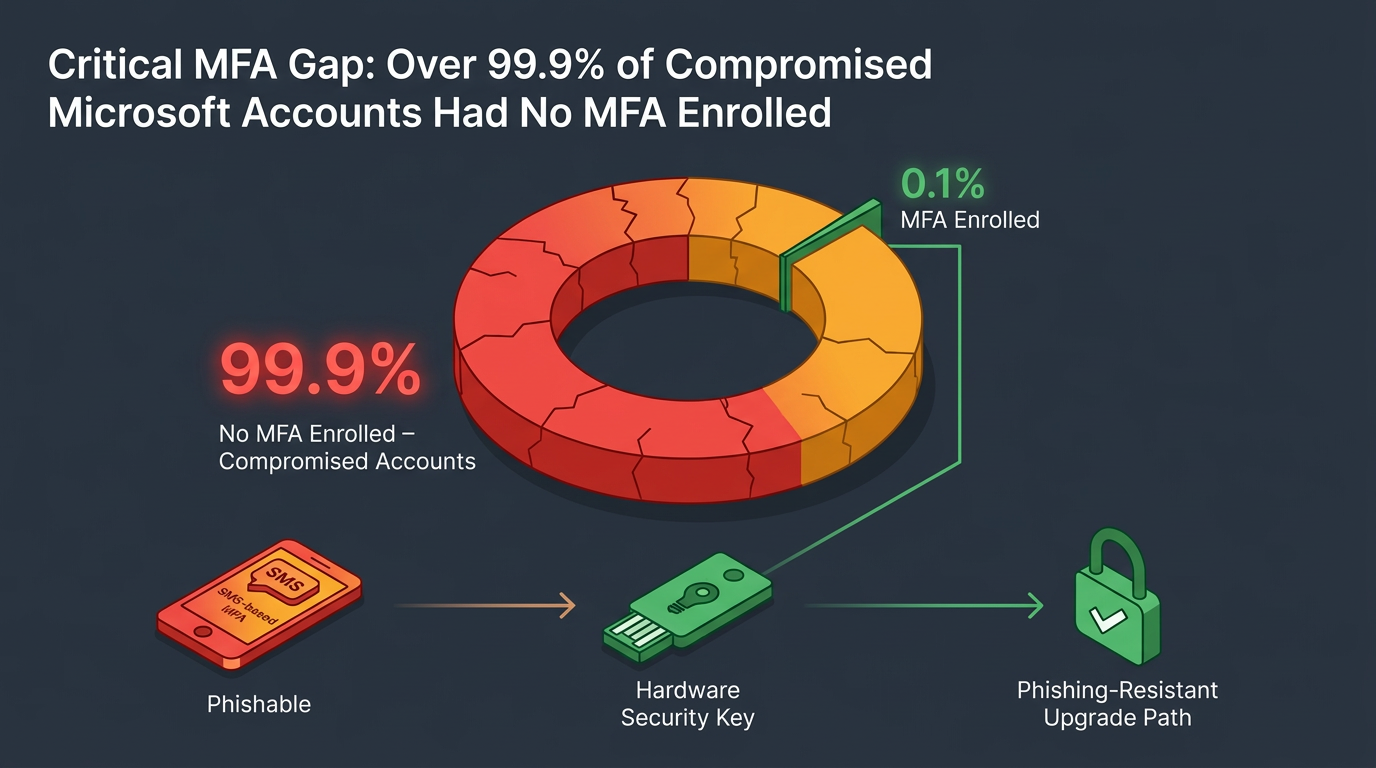
Phishing-resistant multi-factor authentication (MFA) and time-bound privileged access can help reduce identity-based account compromises in Microsoft 365. Microsoft reports that more than 99.9% of compromised accounts don't have MFA enrolled, making strong authentication a high-impact control.
Beyond MFA, teams can further harden identity and access with a few complementary controls:
Disable Legacy Protocols: Turn off legacy authentication protocols after migrating dependent apps so attackers can't bypass modern controls through outdated sign-in methods.
Adopt Phishing-Resistant MFA: Move from SMS-based MFA to multi-factor authentication controls that resist phishing, such as hardware security keys.
Enforce Just-in-Time Admin Access: Use Privileged Identity Management to provide time-bound admin access with approval workflows, which shrinks the value of any single stolen credential by replacing standing admin rights with approval-gated access.
Review Access Regularly: Conduct periodic access reviews to remove unnecessary privileges and keep permissions aligned with current roles.
These measures reduce standing access and make stolen passwords less useful to attackers.
5. Automate Threat Detection and Response
Automated response can turn automated threat detections into faster containment actions while preserving analyst oversight. Teams can build this workflow by implementing:
Continuous Detection: Use Defender for continuous Microsoft-native monitoring.
Automatic Containment: Configure supported tools to quarantine malicious messages and revoke compromised account tokens automatically.
User Communication: Provide clear, action-oriented guidance to affected users to reduce confusion and risk.
Automation works best when teams define approval paths, validate response actions, and maintain complementary controls for identity and collaboration services.
Improve Your Microsoft 365 Security Posture
Implementing these five Microsoft 365 threat detection best practices creates layered defenses against sophisticated threats targeting the platform. Native Microsoft controls provide a necessary foundation, but it's not always sufficient.
Abnormal's email-focused behavioral AI can complement the existing stack by modeling communication patterns, surfacing suspicious activity, and supporting faster investigation and response. It was also named a Customers' Choice in the 2026 Gartner® Peer Insights™ Voice of the Customer for Email Security, the only email security platform to earn this recognition three years in a row.
Ready to strengthen your cloud security and close the gaps attackers exploit? Get a demo to see how Abnormal can enhance your Microsoft 365 security posture.
Frequently Asked Questions
How Is Microsoft 365 Threat Detection Different From Antivirus Software?
Antivirus software scans files and endpoints for known malicious code. Microsoft 365 threat detection instead watches account behavior, sign-in patterns, application permissions, and communication activity across cloud services, since many modern attacks, like consent phishing or business email compromise, never involve malware at all.
Can Behavioral AI Replace Microsoft's Native Microsoft 365 Security Tools?
No. Behavioral AI is designed to work alongside Microsoft's built-in protections, not in place of them. Native tools like Defender and Purview handle known threats through reputation and signature matching, while behavioral AI can help identify the subtler, targeted attacks that evade those baseline defenses.
What Is the First Step Toward Better Microsoft 365 Threat Detection?
Most security teams start by turning on full Unified Audit Log forwarding and reviewing existing MFA coverage, since these two gaps are among the most common and the easiest to close. From there, application governance and communication monitoring round out a layered approach.