

When an account compromise is limited to a captured session, revoking that session and resetting the password normally cuts off the attacker’s access. iAuthFlow v2 can use that temporary foothold to establish a separate way back into the account.
Once the target completes a phishable Google login, the toolkit uses the authenticated session to enroll a passkey controlled by the operator. In the seller’s recorded demonstration, the account owner later changes their password, invalidating the active session—but the operator authenticates with the newly enrolled passkey and returns to the mailbox.
Abnormal researchers have been tracking iAuthFlow v2 since it appeared on a Russian-language cybercrime forum. The toolkit sells for a $10,000 base price, with additional capability modules sold separately. The build examined here targets Google, while the seller also advertises versions for Microsoft, iCloud, and LinkedIn.
This analysis draws on the seller’s forum posts, Telegram channel, and demonstration videos, as well as Google’s published documentation. We did not run the toolkit, sign into an account through it, or reproduce the attack.
How the Demonstrated Attack Works
iAuthFlow v2 writes its own system log as it runs, timestamping each stage. The walkthrough below follows one recorded run against a test Gmail account, in which only the passkey module was enabled.
The attack relies on a browser-in-the-middle (BitM) architecture involving two separate browser environments. The target interacts with a Google-styled phishing page in their own browser. Behind that page, iAuthFlow v2 controls a separate browser running on the attacker’s server. The BitM relay passes the target’s credentials and authentication responses into that remote browser and sends Google’s prompts back to the target.
As a result, the target completes Google’s authentication flow while Google authenticates the browser controlled by iAuthFlow v2. Once that browser has an authenticated Google session, the toolkit can use it to make changes inside the account—including enrolling a new passkey controlled by the operator.
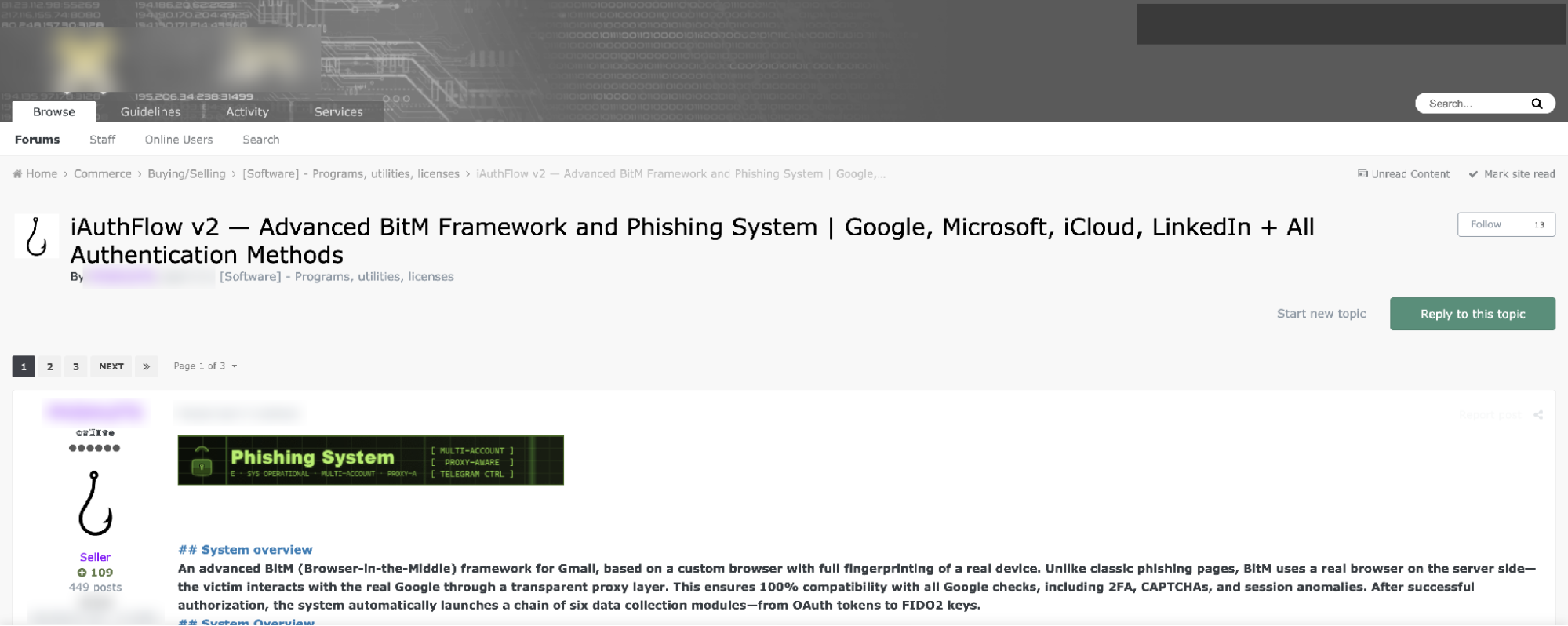
Figure 1: The forum listing and its module-chain description.
Step 1: The Target Completes Google Sign-In Through the BitM Relay
Each target receives a unique link. In the recorded session, it resolved to a subdomain of trycloudflare[.]com, Cloudflare’s free tunneling service.
The target sees a Google-styled sign-in page, but their input is being relayed to a browser running on the attacker’s server. When the target enters an email address, password, or 2FA code, iAuthFlow v2 passes that input to the remote browser. Google’s resulting prompts and error messages are then relayed back to the target.
The result is an interactive sign-in rather than a static credential collection page. The target supplies the information needed to authenticate while the attacker-controlled browser completes the login with Google.
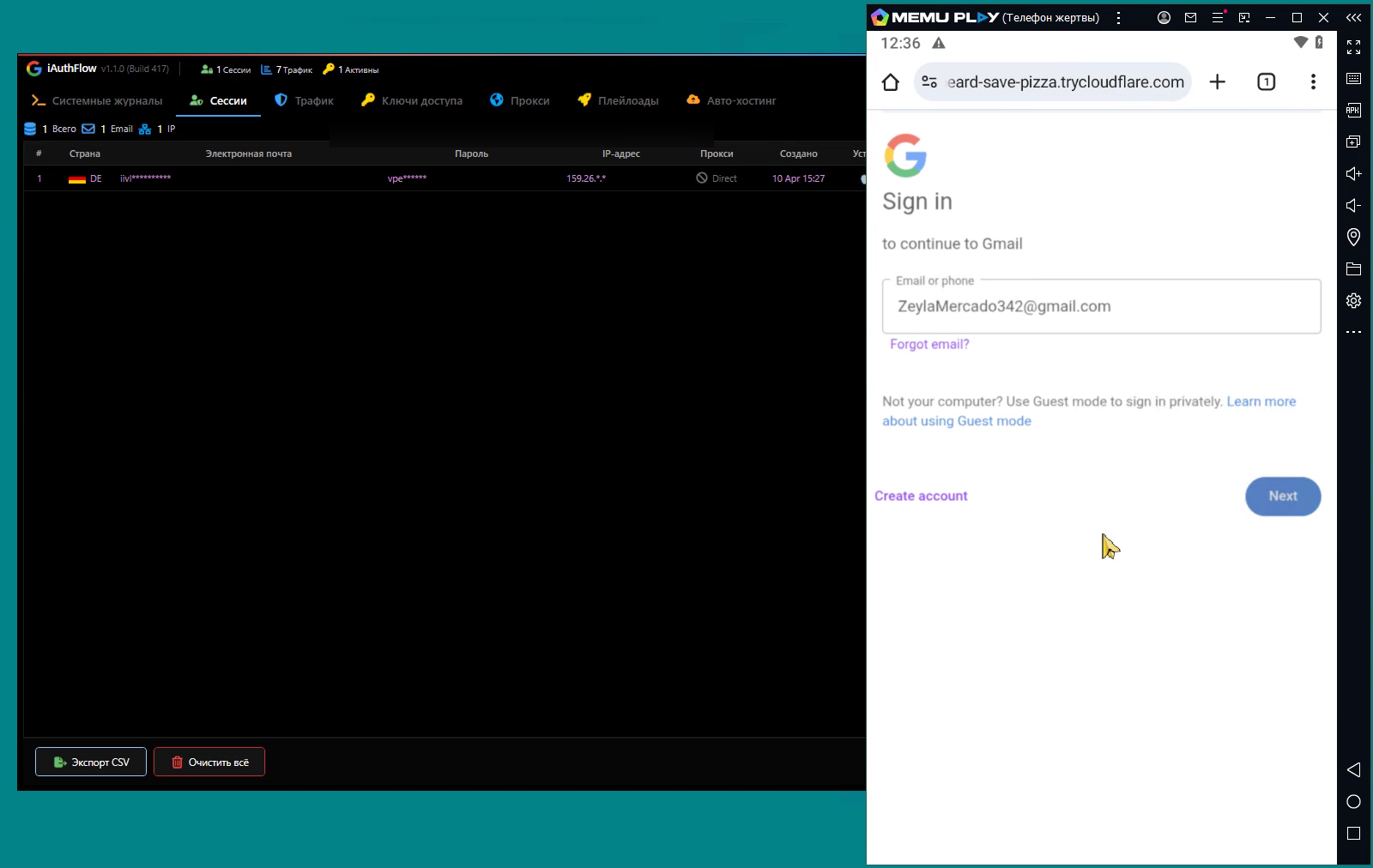
Figure 2: The operator console (left) and the target's phone (right); the address bar is a Cloudflare tunnel.
Behind the page, the toolkit applies a device fingerprint to its browser before the target types anything. The log records each input as it arrives: the email address, the password, and then a code from the authenticator app 40 seconds later. The test account already had a passkey enrolled, and Google offered it alongside the code, but the target used the authenticator code, which the relay passed through the attacker-controlled browser to Google.
Step 2: iAuthFlow v2 Gains an Authenticated Google Session
Once the target completes authentication, Google’s SID and SSID cookies appear in the attacker-controlled browser, which iAuthFlow v2 uses as its signal that the login was successful. The browser now has an active Google session, which the toolkit surfaces in the operator panel.
At this point, iAuthFlow v2 can use the authenticated browser to navigate the target’s Google account and perform actions as the signed-in user while the session remains valid.
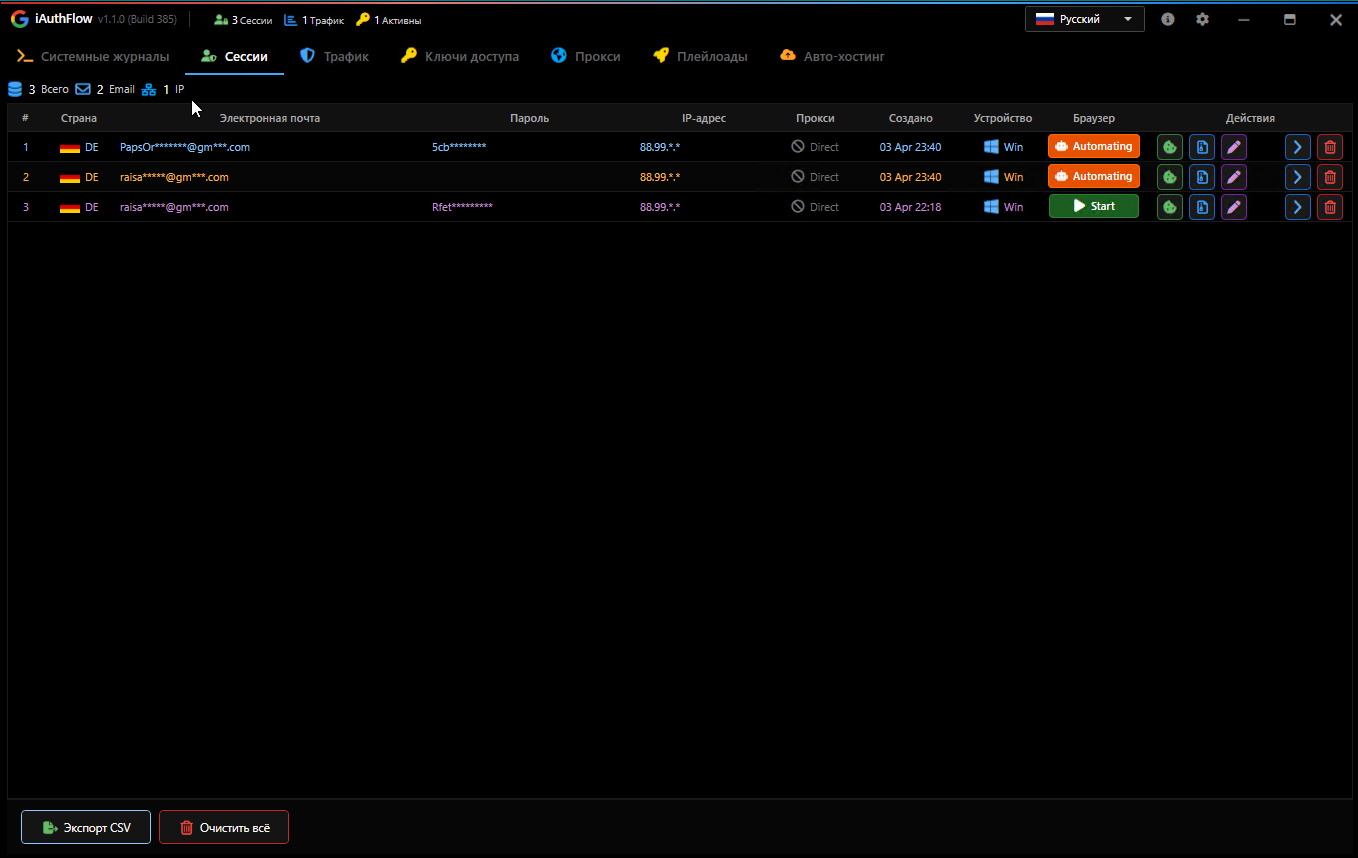
Figure 3: The operator’s panel, live status per captured session.
Step 3: The Toolkit Enrolls an Attacker-Controlled Passkey
The attack does not end when authentication succeeds. Instead of immediately forwarding the target to their inbox, iAuthFlow v2 holds them on a Google-style page served from the lure domain with a “Verification, Processing” message. At the same time, the toolkit uses the authenticated browser to operate inside the account. The hold is a named state in the software, not an artifact of the recording.
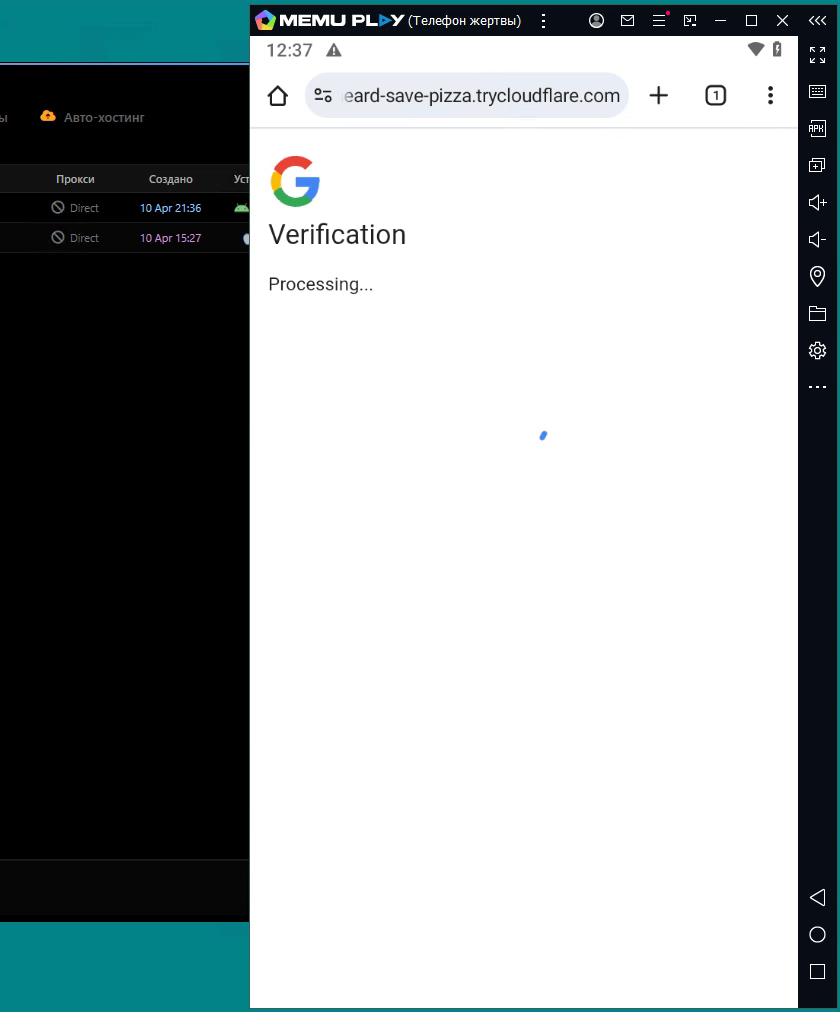
Figure 4: The hold screen the target sees while the module runs.
During that pause, the seller’s demonstration shows the passkey module opening the target’s Google passkey settings through the authenticated browser and requesting a new credential. Google may require further identity verification before allowing the change. In the recorded run, the toolkit log indicates that the passkey was created six seconds after authentication.
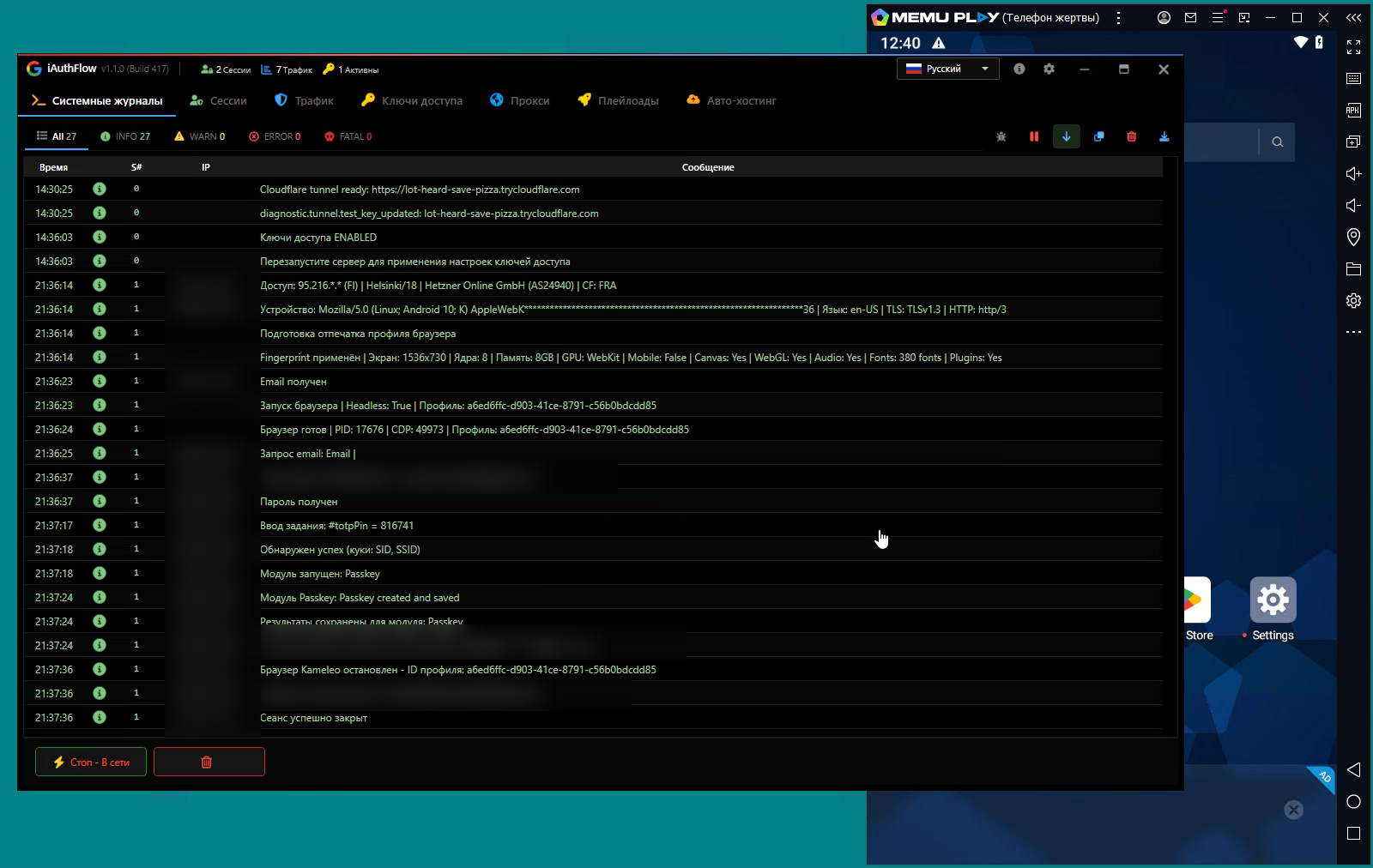
Figure 5: The session log. Login 21:37:18, passkey saved 21:37:24.
The log records “Passkey created and saved.” At this point, the operator no longer has only the authenticated session created through the phishing flow. The newly enrolled passkey is a separate authentication credential registered to the target’s Google account. The subsequent demonstration shows Google offering that passkey during a later sign-in, consistent with the operator retaining the credential needed to use it.
Step 4: The Passkey Survives a Password Reset
Changing the password and revoking active sessions are standard responses to a compromised mailbox. When an attacker’s access is limited to captured session cookies, those actions normally end that access. Google also states that changing a password revokes app passwords and OAuth tokens with Gmail scopes, although some authorized devices and third-party connections may remain signed in.
A passkey is different. It’s a credential registered against the account, not a token derived from the password, and changing the password does not remove it. The same is true of an additional authenticator: it stays enrolled until someone deletes it.
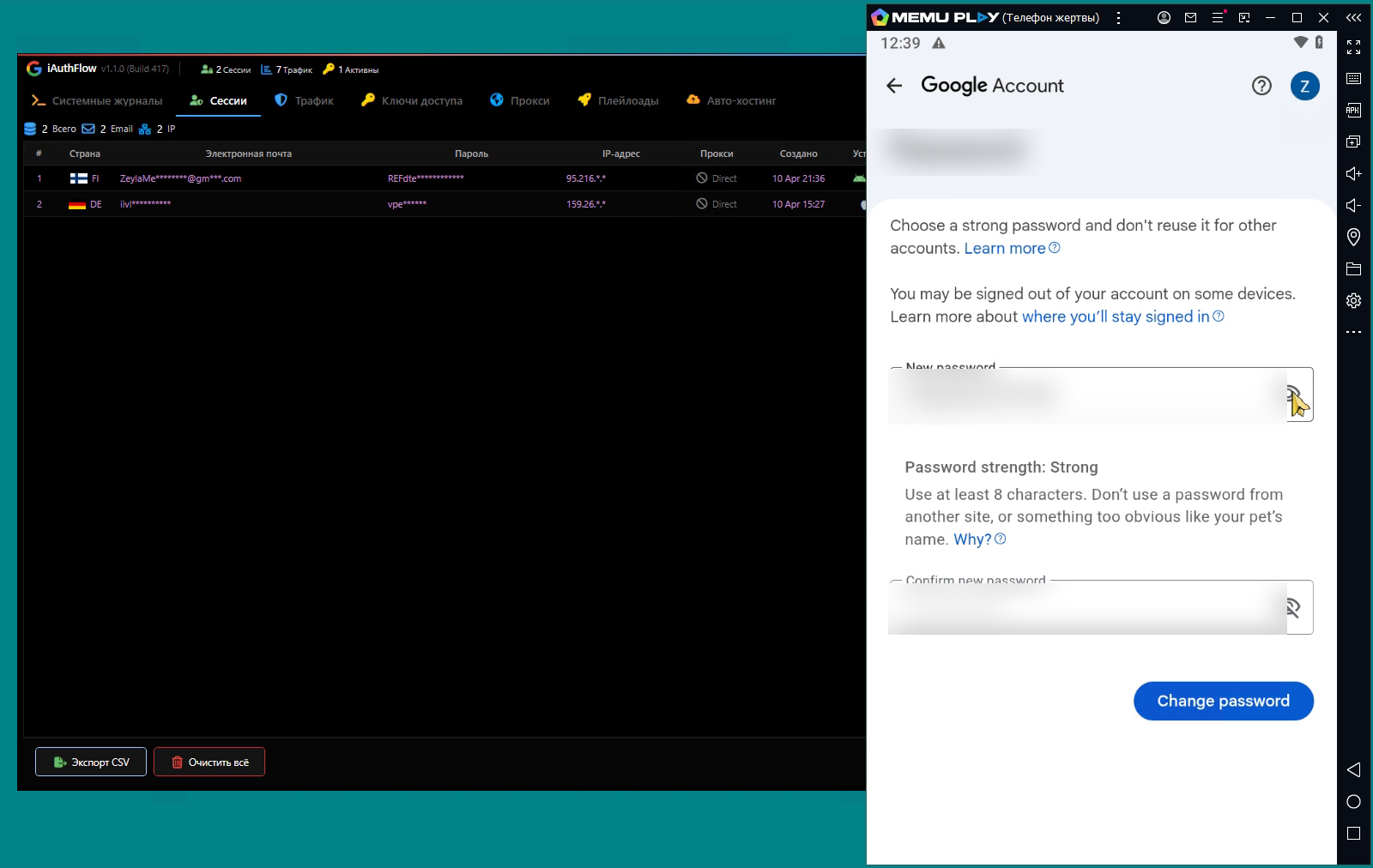
Figure 6: The account owner sets a new password.
The seller’s demonstration illustrates what this means in practice. The account owner changes their password, invalidating the operator’s active session. When the operator attempts to access the account again, Google displays a verification challenge.
The operator selects “Try another way” and authenticates with the passkey enrolled during the earlier session. The demonstration shows the operator regaining access to the mailbox without knowing the new password or requiring additional action from the account owner.
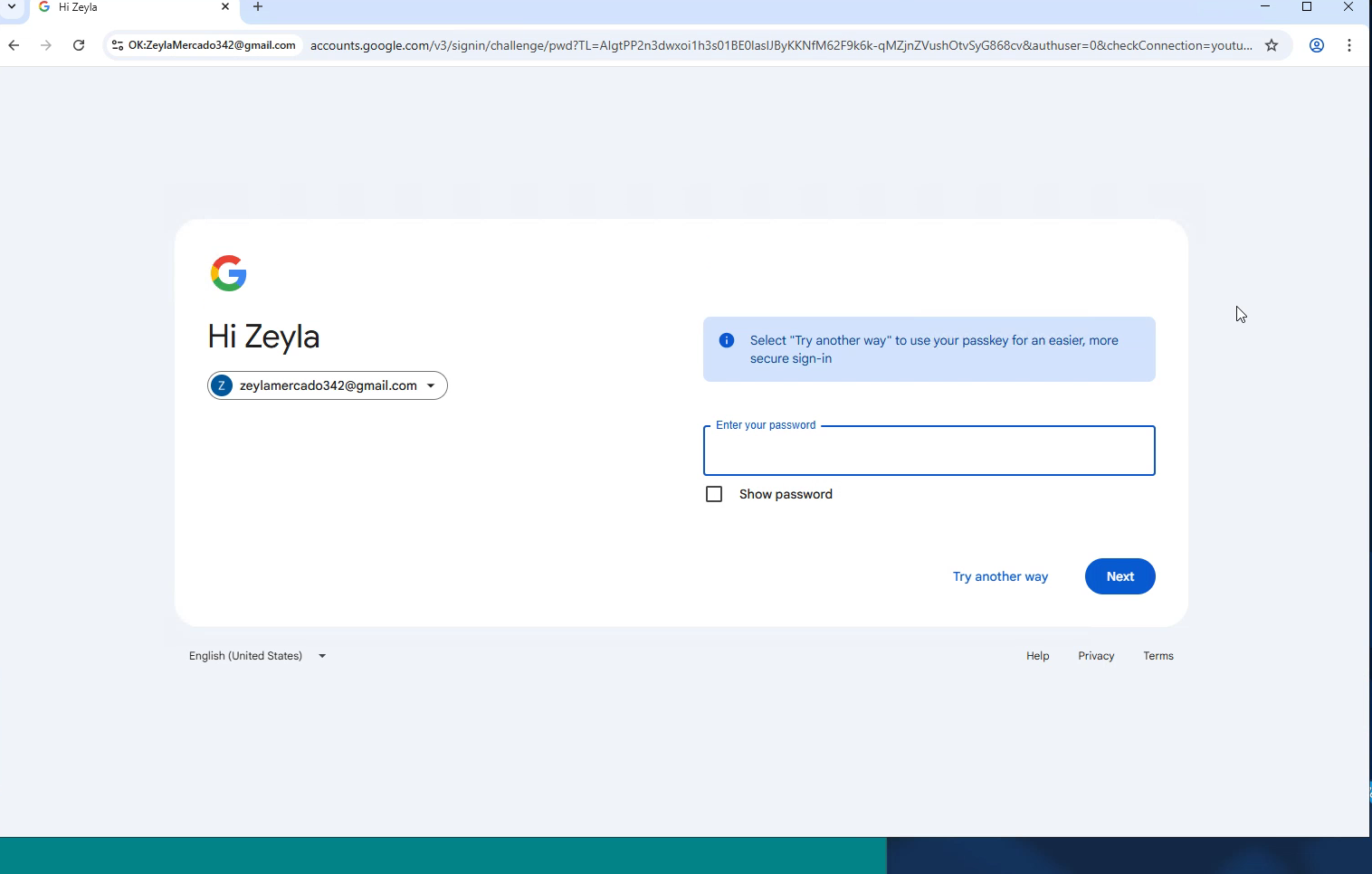
Figure 7: After the reset, Google prompts for the password; "Try another way" leads to the enrolled passkey.
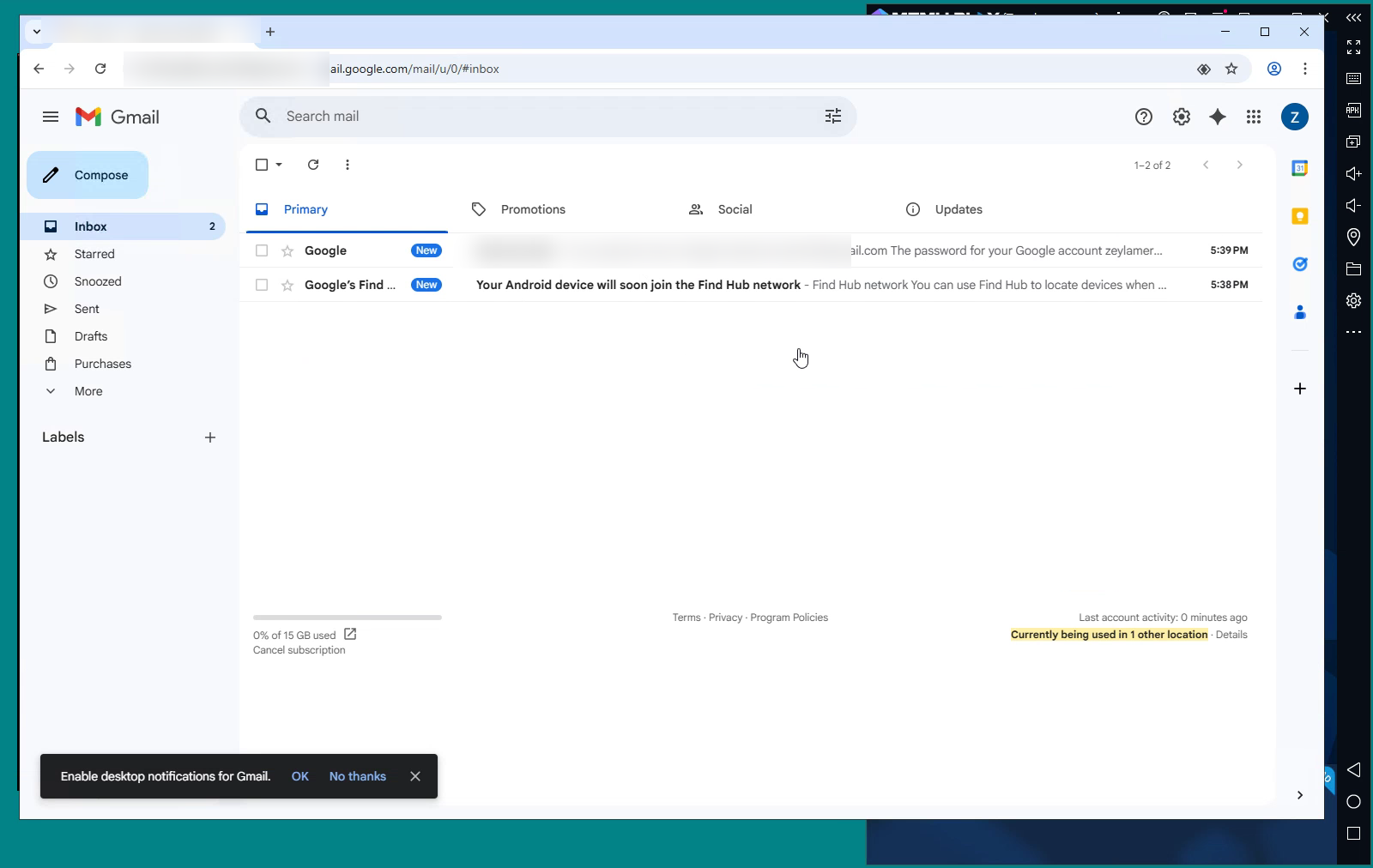
Figure 8: The operator back in the mailbox after the reset.
This is a vendor demonstration in a seller-controlled environment, and we have not reproduced it. What it depicts is consistent with how passkeys work: a reset that removes password-derived access can still leave an unauthorized authenticator in place.
That distinction is what makes the passkey module significant. The phishing flow provides temporary authenticated access; iAuthFlow v2 then uses that access to establish a separate authentication method that can remain available after the original session is invalidated and the password is changed.
A Plausible Mechanism for Passkey Storage
The demonstration does not reveal exactly how iAuthFlow v2 stores or uses the newly created passkey. One possibility involves Chromium, the open-source browser project that underlies Google Chrome and other browsers. Chromium supports software-based virtual authenticators for WebAuthn, the web authentication standard for registering and authenticating with passkeys and security keys.
A software-based virtual authenticator can perform WebAuthn registration and retain the credential’s private key without requiring the target’s physical device to create or store it. This provides a technically plausible explanation for the behavior shown in the demonstration, but does not establish that iAuthFlow v2 uses this mechanism. The phishing frontend itself does not handle WebAuthn.
Preventing Compromise and Removing Persistent Access
Stopping an attack like iAuthFlow v2 requires controls across email, authentication, and account recovery. Behavioral email security can identify and remediate credential phishing messages by analyzing sender and recipient relationships, message intent, URL behavior, and communication patterns. Organizations should also reduce reliance on authentication methods that can be relayed through a phishing flow.
WebAuthn-based authentication provides an important safeguard because it is bound to the legitimate site’s origin, meaning relayed passwords or verification codes cannot satisfy the challenge when phishable fallback methods are disabled.
In Google Workspace, organizations can require phishing-resistant authentication through 2-Step Verification’s “Only security key” setting, which supports security keys and passkeys. For eligible high-risk users, the Advanced Protection Program adds key or passkey requirements, restricts third-party access, and blocks app passwords. App access controls can further reduce exposure by limiting high-risk Gmail OAuth scopes to trusted or specifically approved applications.
If a phishable login succeeds, the response should extend beyond changing the password. Review available Google sign-in, mail-rule, 2-Step Verification or passkey, and OAuth audit events for evidence of account takeover. A configured response integration can revoke supported active sessions and, for eligible standard users, disable the account and force a password reset. Coverage depends on the tenant edition, privileges, configuration, and event availability. Relevant OAuth tokens and grants should be revoked separately.
Containment, however, is not the same as eradication. Use the Google Workspace Security Investigation Tool to investigate the account, then remove any unauthorized passkeys or security keys, delete malicious Gmail filters and forwarding rules, review recovery and delegated access, and restrict unauthorized applications through the Admin console or other supported workflows.
That cleanup is particularly important with iAuthFlow v2 because neither a password reset nor session revocation removes an attacker-enrolled passkey. Restore the account only after unauthorized authentication methods and other persistence mechanisms have been removed.
What iAuthFlow v2 Signals About the Future of Phishing
iAuthFlow v2 illustrates how phishing has evolved beyond stealing credentials or even hijacking a single authenticated session. Once an attacker gains legitimate access to an account, that access can become a starting point for establishing new authentication methods, modifying account settings, and creating other forms of persistence.
Response and recovery cannot end with a password reset or session revocation. Organizations must also examine what changed after authentication—especially newly enrolled credentials, recovery methods, OAuth grants, and mailbox settings—and remove anything the attacker left behind. As toolkits like iAuthFlow v2 expand their post-authentication capabilities, effective response increasingly depends on treating account restoration as a comprehensive investigation, not a simple reset.
For additional insight into the attack landscape and analyses of other dark web tools, visit Abnormal Intelligence, our threat intelligence data and research hub.
Visit Abnormal Intelligence
Indicators of Compromise
The software fingerprints and routes below were recovered from a test instance provided by the seller. We did not enter credentials or execute the login flow.
Indicator | Detail |
|---|---|
Favicon hash (Shodan MMH3) | 1987889572 |
Favicon MD5 | 31ade6ed4933359ff2b2f1c09d10042f |
Stylesheet SHA-256 | 9dd237a185b6c2ff26a10cb9d1f670a59c1a0b4b9592fbfb81e085ffaffeca3a |
Bundle chunk filenames | 68-310980b3a3415759.js, 613-3760b5813b376f85.js |
Target link path | 32 hexadecimal characters; upper or lower case |
Session cookie | access_key=<32 hex>; HttpOnly |
PHISHLETS | Seller handle, trading on the forum since June 2024 |
nax4q7m9[.]org | Seller-provided test instance |