
Key Insights
Microsoft Teams is now a direct delivery channel for malicious files and links, and security teams need real-time attachment scanning and automated remediation inside Teams to reduce exposure.
Recent campaigns such as DarkGate and many others identified by Microsoft show how attackers use external messaging and compromised vendor accounts to send convincing social engineering messages directly inside Teams. In these incidents, threat actors pushed malicious URLs and files into active conversations, where users trusted the context and clicked.
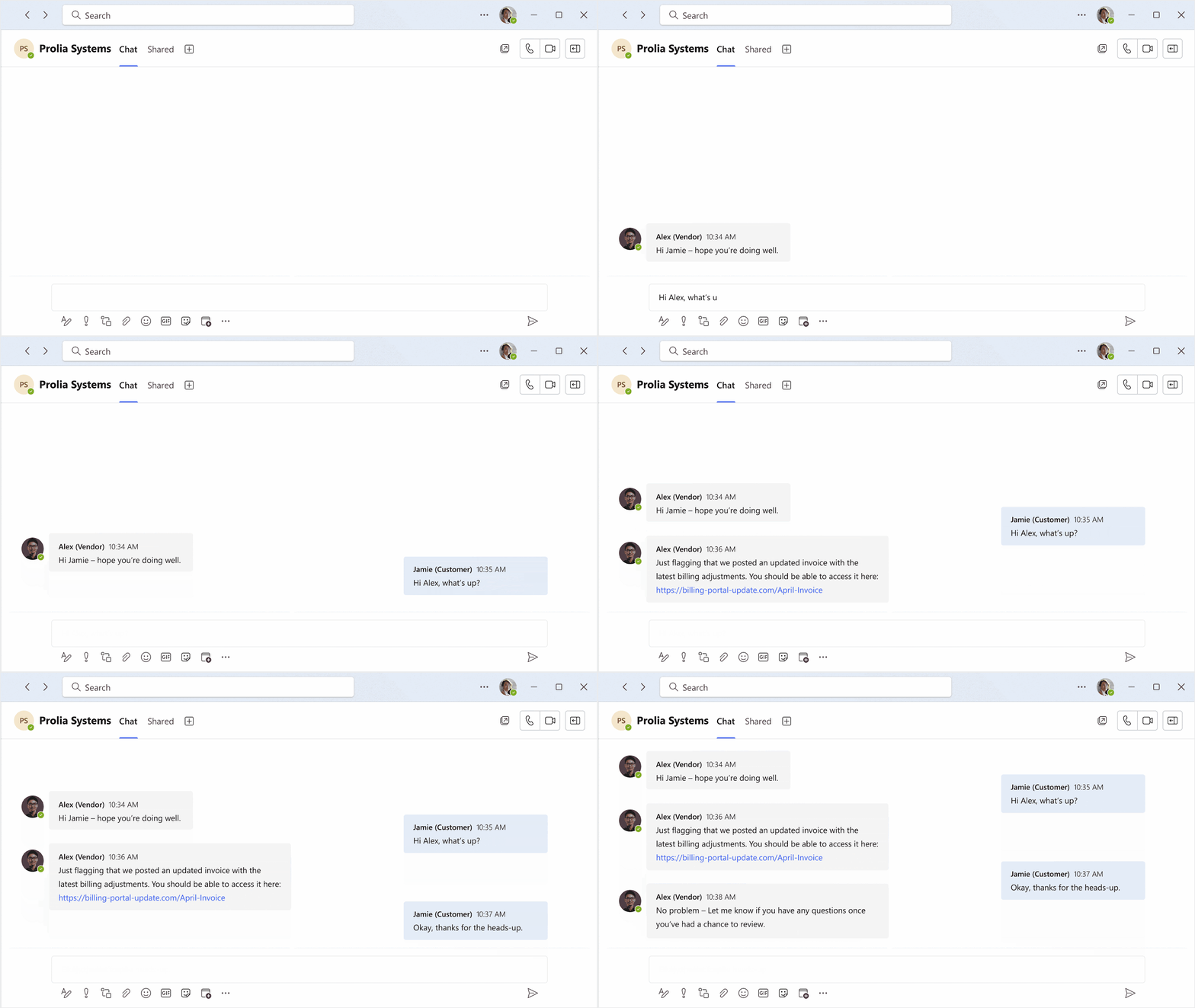
These attacks reflect a broader targeting of collaboration tools. Attackers understand that Teams blends employees, vendors, and guests into a single interface, which gives malicious messages built-in credibility and often less scrutiny than email.
As we covered in a previous blog, collaboration platforms now form part of the modern attack surface. This post focuses specifically on how malicious content originates inside Teams and how Abnormal’s Messaging Security inspects and auto-remediates that content in real time. It is a natural next step for customers who already use Abnormal for Inbound Email Security.
Talk to us about enabling Teams Messaging Security.
Schedule a DemoMicrosoft Teams Security Risk: Malicious Files and Phishing in Chat
When attackers compromise an external account or create a malicious tenant and reach out through external access, they don’t need to use complex methods to continue the attack. All they need is a believable message posted in the right thread:
“Can you review this invoice before payment?”
“Here’s the updated contract.”
“We need you to download this revised document.”
Teams blends employees, vendors, contractors, and guests into a single interface. As a result, messages that initiate social engineering attacks often appear routine. Presence indicators, avatars, and active threads reinforce legitimacy, even when the content is malicious.
The Teams Blind Spot
In many environments, file and URL inspection inside Teams differs significantly from email security:
Native security tools may scan attachments up to 48 hours after the file is sent
Inspection may vary depending on storage location or workload
URLs come with a warning but remain accessible to the end user
This gap allows attackers to deliver:
Weaponized Office documents and PDFs
Files that contain malware
Malicious URLs that lead to credential theft or malware downloads
To close this gap, security teams must inspect messages immediately and automate instant remediation to remove malicious files and links.
Attachment Scanning and URL Detection for Microsoft Teams
Abnormal treats files and links shared in Teams as first-class threats.
As users share content, Abnormal performs inline, in-memory analysis that combines:
File metadata and static structure inspection
URL reputation and risk evaluation
Risk signals tuned for high-risk file types and realistic collaboration file sizes
This approach allows Abnormal to evaluate suspicious attachments and links before users engage with them, protecting collaboration workflows without introducing friction.
What Analysts See in the Threat Log
When Abnormal detects malicious content in Teams, it records the event in the unified Threat Log that analysts already use for email.
Analysts can immediately see:
The sender and recipient(s)
A clear explanation for the verdict
Complete metadata for the message
This unified visibility helps SOC teams understand how attackers use compromised vendor accounts or external tenants to distribute malicious content across the organization.

Why Microsoft Teams Security Requires Automated Remediation
Even when security tools detect malicious content, manual response introduces risk.
Without automation, analysts must:
Create and triage a ticket
Locate the message in Teams
Coordinate with administrators to remove it
Notify affected users
Every minute between detection and removal increases the chance that a user clicks the link or opens the file. Collaboration platforms move quickly. Manual remediation slows response and increases dwell time.
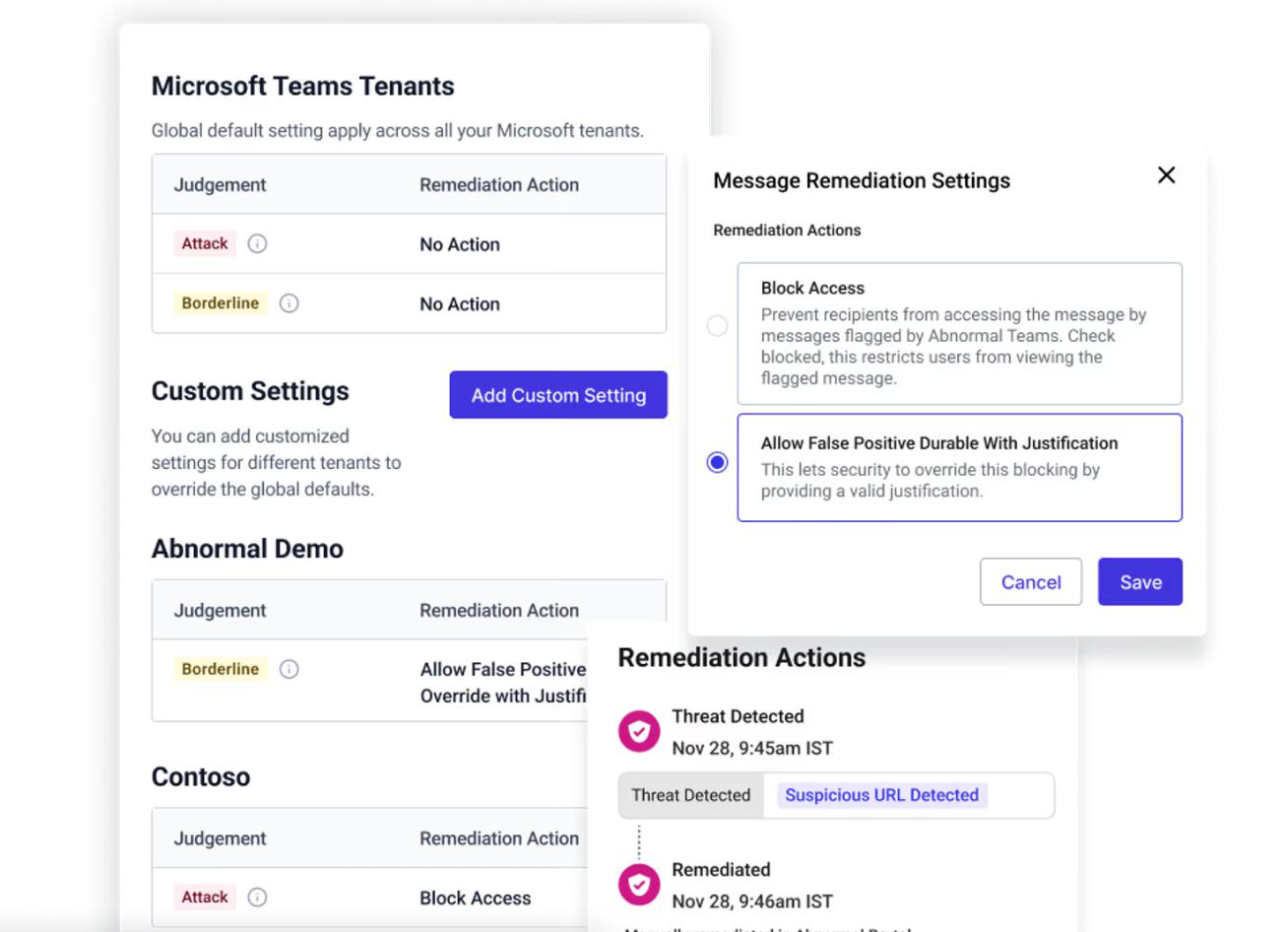
Abnormal applies policy-driven auto-remediation directly inside Teams so the response keeps pace with how users collaborate.
This enables security teams to configure response actions based on the verdict. For example, some teams may choose to allow an optional override for borderline messages instead of automatically removing all borderline and malicious messages.
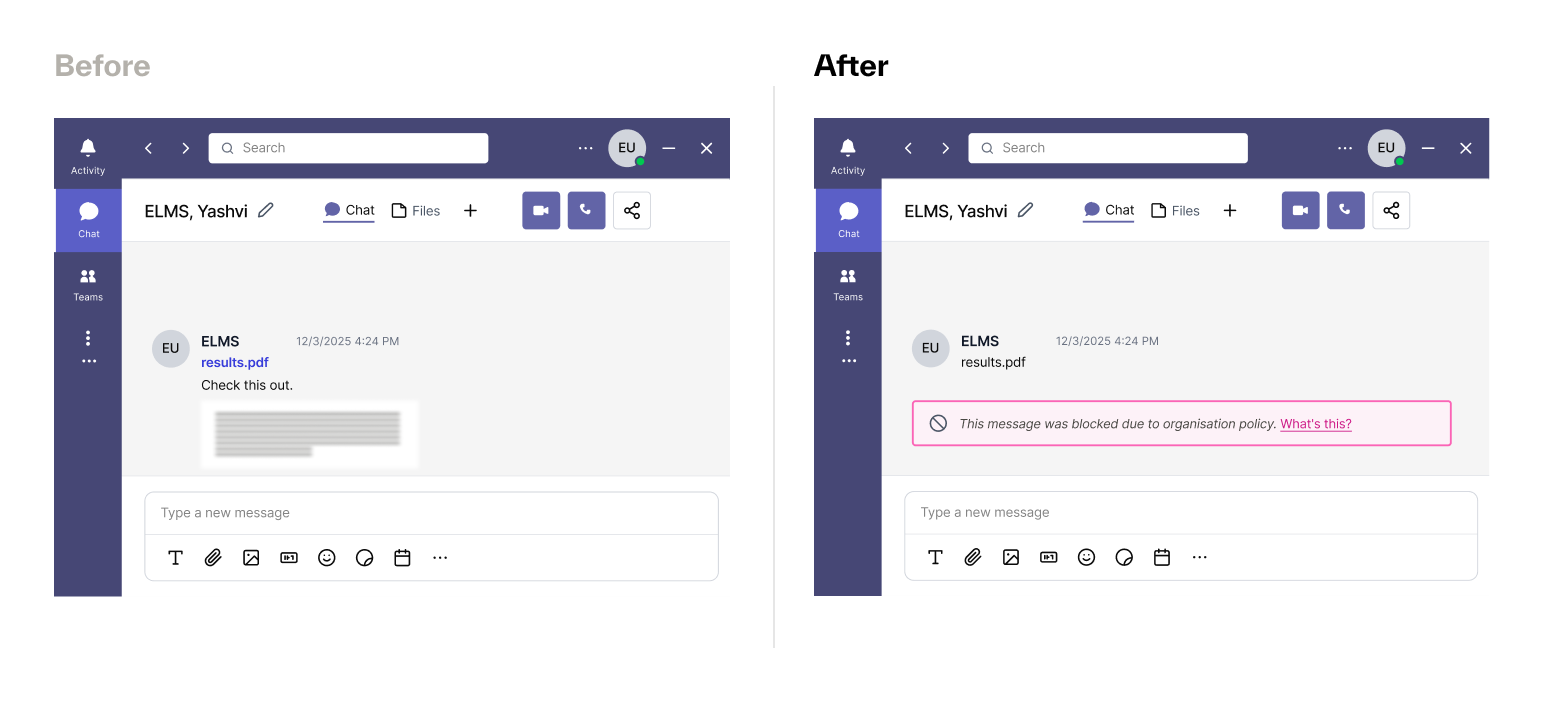
When Abnormal removes a message, it tombstones the content in Teams. Users see that the content was removed for security reasons, which prevents further access and reduces confusion.
For borderline cases that involve time-sensitive collaboration, optional override workflows allow approved restoration. The Threat Log captures every action in a complete audit trail.
This approach delivers:
Reduced dwell time
Fewer manual tickets
Consistent, policy-driven enforcement
Less analyst effort spent chasing messages
Why CISOs Are Prioritizing Microsoft Teams Security
“We have Teams and Slack and other SaaS applications, and the fact that Abnormal can protect those as well is something we are looking at closely.”
— Andy Albrecht, Chief Information Security Officer at Domino’s
Security leaders recognize that collaboration platforms function as active communication layers inside the enterprise. When attackers exploit that layer directly, detection and remediation must operate at the same speed.
How Microsoft Teams Threat Detection and Response Work Together
With Teams Messaging Security enabled, detection and response operate as a single, continuous workflow:
An external or compromised account sends a malicious file or URL in Teams
Immediate scanning evaluates the content
Abnormal assigns a verdict: Attack or Borderline
Policy-driven auto-remediation removes the content as configured
The Threat Log records the full event, including context and remediation outcome
Teams is no longer just a collaboration channel; attackers now use it as a direct delivery vector for malicious files and links. To protect these vulnerable workflows, security teams should apply the same real-time inspection and automated response to Teams that they already require of their email security solutions.
Talk to us about enabling Teams Messaging Security.
Schedule a Demo