Attack Target Summary
Attack Overview
Step 1: Email
The attack starts with a Google Calendar invite notification sent to the target. The event details include a link to a Google Drawing that contains a CAPTCHA image.
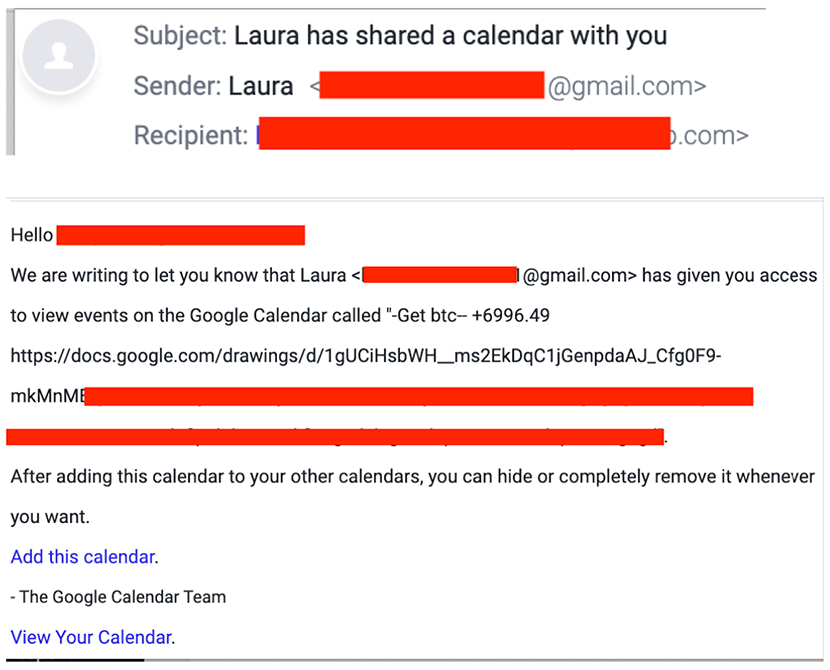
- Invite appears to be shared from a Gmail account.
- The message claims the recipient has access to a new calendar event.
- Embedded link points to a Google Drawing.
Step 2: Fake CAPTCHA with Redirect
Inside the Google Drawing is a clickable image resembling a Google CAPTCHA. When clicked, it redirects the user to a malicious website related to cryptocurrency scams.

- The image is made to look like a CAPTCHA verification prompt.
- Clicking it sends users to an external Bitcoin scam site.
- The phishing flow mimics a secure interaction.
Step 3: Scam Site Hosted on Trusted Platform
The redirect leads to a fraudulent form page hosted on Adobe Creative Cloud, designed to collect personal or financial information from the target.
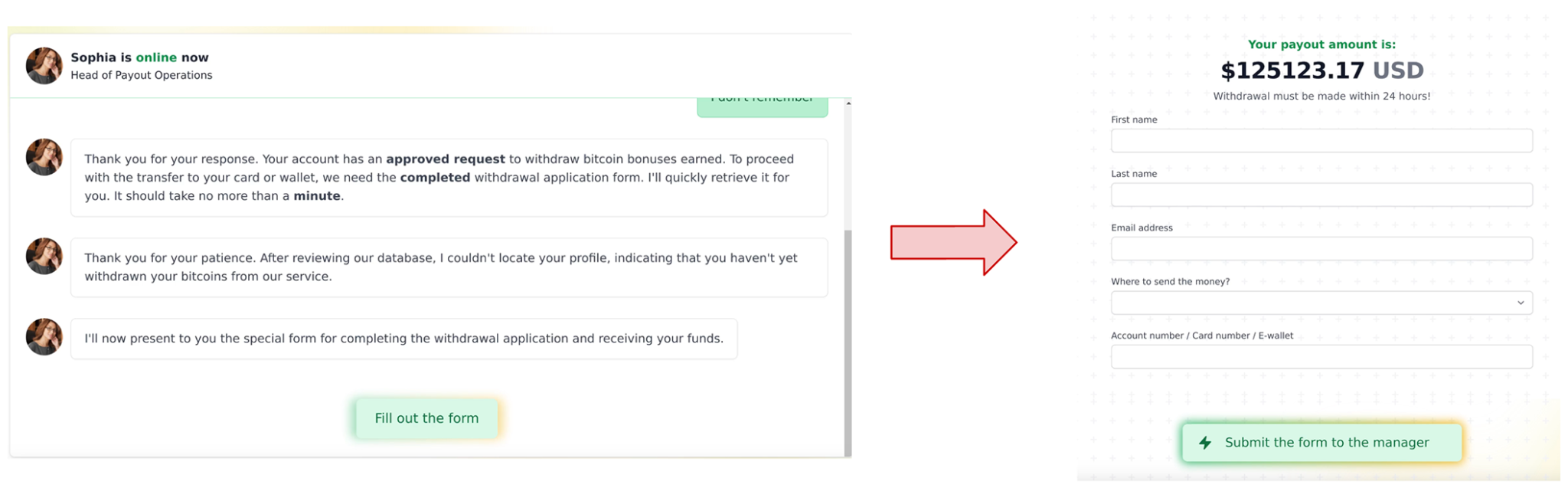
- Hosting on Adobe Cloud lends credibility.
- Site mimics payout forms and withdrawal instructions.
- Targets are lured into providing sensitive data under financial pretenses.
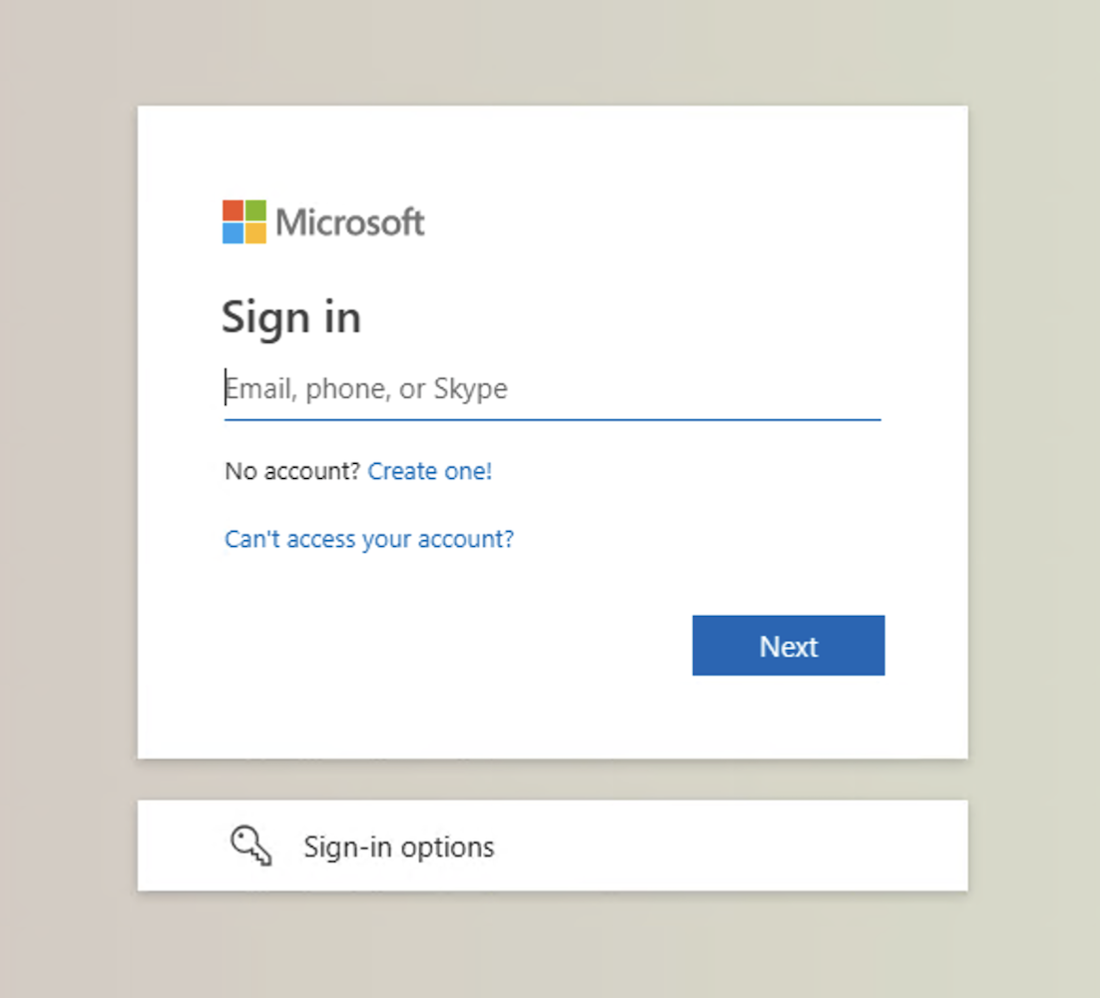
Step 4: Final Destination (Spoofed Microsoft Login)
How Does This Attack Bypass Email Defenses?
This email attack bypasses traditional security solutions for several reasons, including:
- Sent from a domain that passes SPF and DMARC checks.
- Calendar invite content is often not deeply analyzed by email security tools.
- Final phishing destination is hosted on a legitimate cloud platform.
How Did Abnormal Detect This Attack?
This attack was detected using AI and ML by analyzing various factors, including:
- Anomalous sender behavior and unusual email content.
- Presence of embedded links within calendar event details.
- Detection of urgent or financial themes tied to social engineering tactics.
By recognizing established normal behavior and detecting these abnormal indicators, a modern email security solution has the ability to prevent this attack from reaching inboxes.
Please note the exact detection mechanism from Abnormal Security's system might include proprietary techniques and methodologies not disclosed here.
