
Key Insights
In a default Microsoft 365 tenant, any standard user can register a new device to Entra ID, complete MFA enrollment on any laptop, and inherit baseline access through the user's own account. These are not edge-case gaps. They are the platform's out-of-the-box settings, and the vast majority of admins have no idea they are open until someone shows them a report.
The reason these gaps stay open is simple: most tenants never review them. The Microsoft 365 admin center surfaces hundreds of toggles across Entra, Intune, Defender, Teams, SharePoint, and Exchange Online. Without a benchmark stitching them together, the default state of a Microsoft 365 tenant is not secure; it is unreviewed.
Attackers have been exploiting this gap ever since OAuth device code phishing went mainstream. The technique abuses a legitimate Microsoft authentication flow to capture session tokens without ever touching a password or triggering an MFA prompt. Microsoft attributed this technique to a Russia-aligned actor in February 2025, with activity dating back to August 2024.
To help combat such tactics, Abnormal Security Posture Management (SPM) has been evaluating Microsoft 365 tenants against the Center for Internet Security's Foundations Benchmarks since inception. Until this release, that evaluation was anchored to CIS v3.0.0. SPM has now been upgraded to CIS v6.0.0.
The upgrade brings 29 net-new controls into your tenant's automatic evaluation, covering everything CIS added across v4, v5, and v6 over the last two years: Entra device registration, Intune device compliance, OAuth flow restrictions, guest access governance, Teams external access, and outbound email containment.
For existing SPM customers, the upgrade lands as a live posture refresh. No reconfiguration, no version pinning, no catch-up phase.
To see how Abnormal SPM continuously benchmarks your M365 tenant against CIS v6.0.0 and walks you through guided remediation, schedule a personalized demo.
Schedule a Demo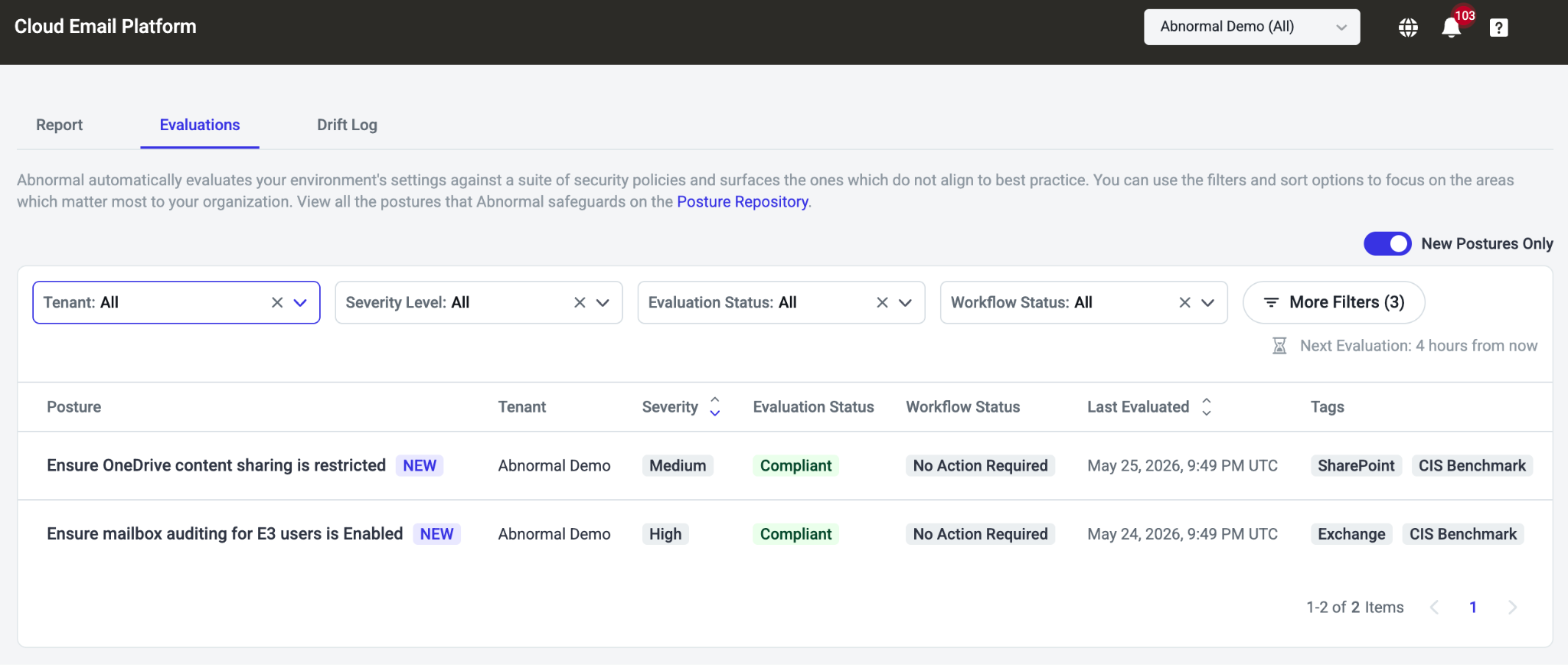
The 29 Net-New Postures, Grouped by Attack Surface
Abnormal rolled the new policies out in three phases throughout March 2026. The following controls are now live in your SPM tenant.
Entra ID: device registration and join (six controls)
These controls close the workstation-to-cloud escalation path created by Entra's default device join settings. On most tenants, any standard user can register a device, with no admin approval and no MFA. These six controls close that gap.
Ability to join devices restricted (CIS 5.1.4.1). Only approved users or groups can join devices to Entra, eliminating the open-enrollment surface attackers use to register rogue endpoints.
Max devices per user limited (CIS 5.1.4.2). Caps how many devices a single identity can register, so a compromised account cannot quietly stand up parallel managed endpoints.
GA not local admin during Entra join (CIS 5.1.4.3). Global Admins are no longer made local admins on Entra-joined workstations, closing the most common workstation-to-cloud escalation path.
Local admin assignment limited (CIS 5.1.4.4). Restricts who else can be added as local admin on Entra-joined devices, keeping the post-compromise blast radius narrow.
LAPS enabled (CIS 5.1.4.5). Confirms Windows Local Administrator Password Solution is on, so the local admin password is rotated and unique per device rather than shared across the fleet.
BitLocker key recovery restricted (CIS 5.1.4.6). Locks down self-service BitLocker recovery so a phished user cannot trivially decrypt a stolen device.
Entra ID: authentication and conditional access (seven controls)
This block covers the OAuth device code phishing technique that became the default M365 bypass in 2024 and 2025, plus the session-control hardening CIS now treats as table stakes.
Sign-in frequency for Intune enrollment set to "Every time" (CIS 5.2.2.11). Forces a fresh sign-in on every Intune enrollment, so a stolen long-lived session cannot be used to register a malicious device.
Device code sign-in flow blocked (CIS 5.2.2.12). Blocks the OAuth device code flow tenant-wide, removing the technique Storm-2372 and follow-on actors used to bypass MFA.
Sign-in risk blocked for medium and high (CIS 5.2.2.8). Conditional Access denies access whenever Entra's risk engine flags a sign-in as medium or high risk, instead of leaving the decision to a manual review queue.
Managed device required for authentication (CIS 5.2.2.9). Authentication requires a compliant or hybrid-joined device, so credential-only attacks from unmanaged endpoints fail at the policy layer.
Managed device required for MFA registration (CIS 5.2.2.10). Registering MFA security info now requires a managed device, closing the "MFA fatigue plus rogue token registration" attack chain.
Weak authentication methods disabled (CIS 5.2.3.5). SMS and voice-call MFA are turned off in Entra authentication method policies, eliminating the two factors most vulnerable to SIM-swap and adversary-in-the-middle attacks.
Email OTP authentication disabled (CIS 5.2.3.7). Email one-time passcode auth is disabled, removing a weak factor that allowed attackers with mailbox access to self-serve into adjacent identities.
Entra ID: external identities and admin governance (four controls)
External users and dormant admin paths are two of the quietest ways into a tenant. These controls close both.
Guest user access restricted (CIS 5.1.6.2). Guest accounts are scoped to the restricted-guest role, so an invited external user cannot enumerate the directory or pivot laterally.
Guest invitations limited to Guest Inviter role (CIS 5.1.6.3). Only admins and explicitly designated Guest Inviters can send guest invites, preventing rank-and-file users from inadvertently expanding the tenant's external surface.
Approval required for GA role activation (CIS 5.3.4). Global Admin activation through Privileged Identity Management requires named approval, so a single stolen credential cannot self-elevate to tenant-wide admin.
Approval required for Privileged Role Admin activation (CIS 5.3.5). The same approval gate applies to Privileged Role Administrators, who can otherwise grant any role to any account.
Microsoft Defender for Office 365: email hygiene (five controls)
A cluster of controls that close the "inherited allow-list" problem, the most common way partner-compromise emails bypass an otherwise well-tuned tenant.
Outbound anti-spam message limits in place (CIS 2.1.15). Caps the volume of outbound messages a single mailbox can send, so a compromised account cannot be turned into a high-throughput spam relay against your customers.
Connection filter IP allow list not used (CIS 2.1.12). Forbids static IP allow lists in the connection filter, which attackers routinely abuse by sending from a previously-trusted IP that the org forgot was on the list.
Connection filter safe list off (CIS 2.1.13). Disables the Microsoft-managed safe list on the connection filter, so messages from "known good" senders still get scanned rather than skipping the pipeline.
Inbound anti-spam has no allowed domains (CIS 2.1.14). Removes blanket allowed sender domains, eliminating the single most common path for partner-compromise BEC emails to bypass scanning entirely.
Comprehensive attachment filtering (CIS 2.1.11). Expands the blocked attachment list to cover the high-risk extensions CIS now requires (LNK, ISO, scripting hosts), blocking file types attackers shifted to as macros got harder.
Microsoft Intune: device compliance and enrollment (two controls)
These two controls keep the device inventory honest, which matters once Conditional Access starts gating access on device compliance.
Devices without compliance policy marked not compliant (CIS 4.1). Any device without a compliance policy applied is flagged non-compliant by default, eliminating the "no policy, no enforcement" loophole that attackers used to register exempt devices.
Enrollment for personally owned devices blocked (CIS 4.2). BYOD enrollment is denied at the platform layer, so an attacker holding an end-user credential cannot enroll their own device into the tenant.
Microsoft Teams: external collaboration (four controls)
Teams external access was, for years, the default entrypoint that v3 never closed. v6 finally treats it like the inbound channel it has become.
Communication with unmanaged Teams users disabled (CIS 8.2.2). Chats and meetings with consumer (free) Teams accounts are blocked, removing the channel attackers use to deliver payloads outside email scanning.
External Teams users cannot initiate conversations (CIS 8.2.3). Unmanaged external users can no longer cold-message employees, eliminating a vector that bypassed every email filter the org owned.
No communication with trial tenant accounts (CIS 8.2.4). Disposable trial tenants, which attackers stand up in minutes for one-off phishing campaigns, are explicitly blocked at the federation layer.
Meeting recording off by default (CIS 8.5.9). Cloud recording is off in the global meeting policy, so sensitive discussions are not silently captured and later exfiltrated via OneDrive.
Admin center and Exchange Online (three controls)
Users cannot create security groups (CIS 5.1.3.2). Security group creation is restricted to admins, closing a quiet permission-escalation path where compromised users created groups and assigned themselves access.
Shared Bookings pages restricted to select users (CIS 1.3.9). Microsoft Bookings pages are no longer publicly browsable, eliminating the reconnaissance surface attackers use to enumerate org structure and pretext targets.
Direct Send submissions rejected (CIS 6.5.5). Unauthenticated Direct Send email submissions are refused, blocking the spoofing technique that lets attackers send mail "from" your domain without ever touching credentials.
What You Need To Do: Nothing
Because Abnormal handles ingestion, evaluation, and the catalog update end-to-end, no customer action is required. Every M365 tenant on SPM now continuously evaluates against the full v6.0.0 control set. The new policies are tagged with a "NEW" badge for 45 days in the policy list, and the evaluation view has a dedicated toggle that filters down to just the recently added controls so your SOC can triage them in a single pass.
If you are an existing SPM customer, your tenant grade reflects the new baseline starting today. Any drift on the 29 net-new controls flows through the same Drift Log, GenAI Posture Analysis, and Exception Workflow you already use.
Why This Matters
Strong phishing defense remains essential, but it is not sufficient on its own. When attackers gain access through side channels (infostealers, leaked credentials, OAuth device code phishing, compromised third parties), damage containment depends on whether your administrative plane is configured tightly enough to keep a single compromised account from cascading into a full tenant compromise.
The 29 controls above are the operationalization of that idea. SPM applies them automatically, explains what each one fixes, and tells you exactly where your tenant stands against the current benchmark, every day.
To see Abnormal SPM in your environment, schedule a demo.
Schedule a Demo