
Key Insights
The emails that get people to click today rarely look like phishing. They look like a principal asking staff to pick up gift cards for a school event. A vendor requesting a bank account update ahead of an upcoming payment. An employee emailing from their personal address to change payroll before the next pay period. By the time anyone reports one of these messages, the same attack has likely already landed in other inboxes—all while the security team is reviewing reports one at a time.
This is what modern phishing actually looks like. The challenge extends beyond detection to the speed, scale, and operational burden that follow when employees begin reporting suspicious messages.
According to the FBI's 2026 Internet Crime Report, there were 1,008,597 total complaints last year, with 191,561 being phishing. IBM's 2025 Cost of a Data Breach Report found that the average phishing-related breach costs $4.44 million and takes 241 days to contain. Meanwhile, AI-enabled attacks are accelerating. IBM found that 1 in 6 breaches now involve AI-driven attacks, lowering the skill floor for attackers and increasing the volume of convincing lures reaching employee inboxes.
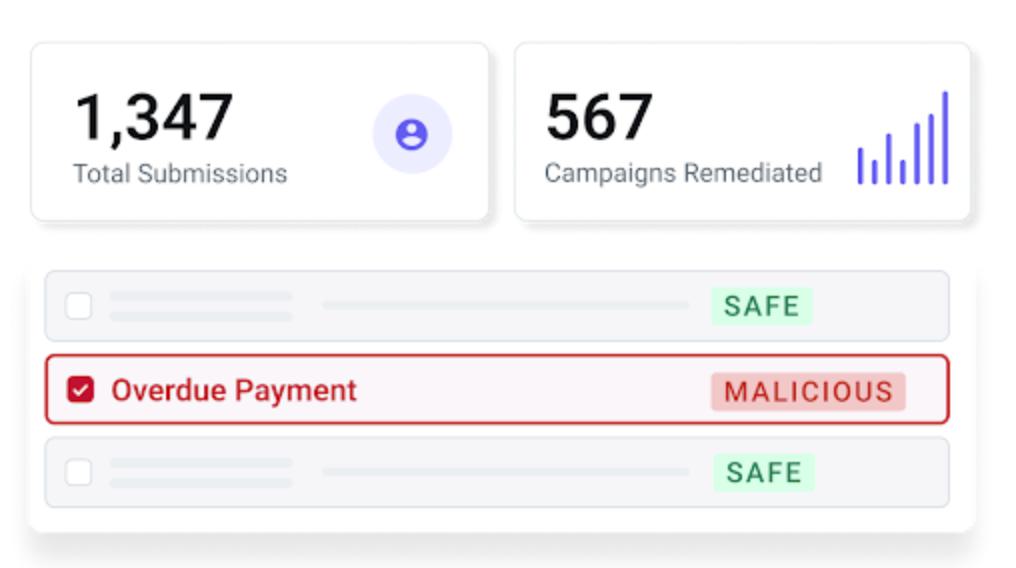
AI Security Mailbox is built to address this challenge: it centralizes every user-reported email, triages submissions 24/7 using behavioral AI to fight bad AI, classifies messages as malicious, spam, safe, or simulated, identifies related unreported messages, and delivers a clear response to the reporter.
How a Modern Phishing Attack Is Built…and Where It Gets Stopped
These attacks follow a recognizable pattern, even when the surface details vary. Here is how they're constructed, and where they get caught.
How the attack is built:
The attacker establishes a convincing sender identity. They spoof a trusted internal role—a school principal, a finance lead, an executive—compromise a legitimate vendor account, or send from an employee's personal email address. The goal is to lower the recipient's guard before the message is opened.
The lure is tuned to a familiar workflow. Gift card requests timed to school events. Bank account changes timed to payment cycles. Payroll updates timed to pay periods. The attacker chooses a context the recipient is already primed to act on, making the message feel routine rather than suspicious.
Urgency closes the gap. A tight deadline. A favor for someone senior. A sensitive request that "shouldn't go through normal channels." The urgency is designed to push action before verification.
Where it gets stopped:
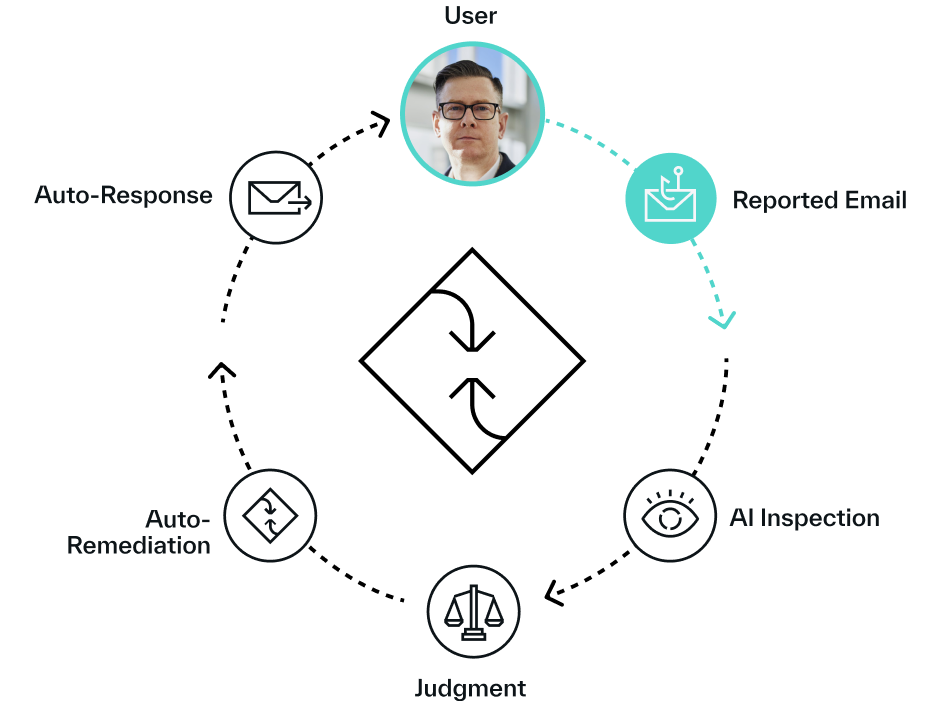
An employee reports the message. Something feels off. That report is the critical signal — not because one person caught one email, but because it opens a detection window that passive filtering never would.
AI Security Mailbox evaluates the reported message in context. Behavioral and content signals are analyzed immediately, and a verdict is issued without requiring manual first-line review.
If the message is malicious, the platform identifies related, unreported emails from the same campaign and removes them across the environment — turning one user report into broader containment.
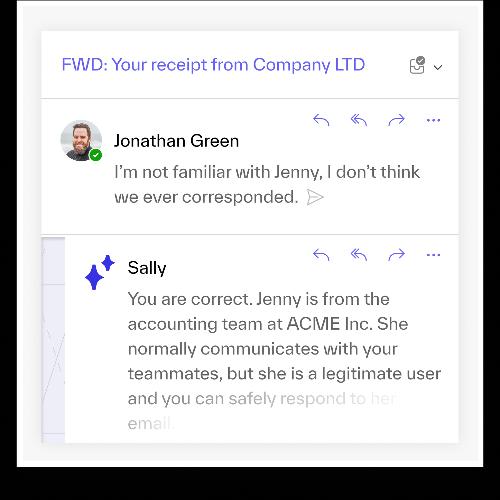
The reporter receives a clear explanation of what happened and what to do next, and can ask follow-up questions. The report becomes a security coaching moment, not a one-way submission into a queue.
That last step changes the dynamic in a way that compounds over time. When employees report something and get a useful answer back, they report more. This leads to a better signal source for the SOC and a measurably stronger security culture.
What This Looks Like Inside a Real Organization
Lewisville Independent School District ran into all three attack patterns above. Attackers spoofed principals through Gmail to run gift card scams. They sent fraudulent bank account change requests from compromised vendor accounts. They used employees' personal email addresses to drive payroll and direct deposit fraud. None of these emails used crude formatting or obvious red flags—they closely resembled legitimate school communications to get past existing defenses and land in staff inboxes.
After deploying AI Security Mailbox, Lewisville ISD now stops 14.3K advanced attacks per month and saves 136 hours monthly on triaging user-reported emails. The district moved from a manual review process to an automated workflow that classifies every reported email and responds to staff directly.
The pattern holds across sectors. One manufacturing customer with 30,000 mailboxes reported that AI Security Mailbox automated their user-reported workflow end-to-end and explained to employees exactly what made the email malicious, turning each report into a coaching opportunity. Another large healthcare organization reported that users noticed and appreciated the speed of the feedback they received. Employees now have an automated way to report suspicious emails and receive a response within minutes.
The Modern Phishing Problem is an Operational One
Detection is necessary but not sufficient. The real burden for most security teams begins after an email is detected: every reported message that needs a decision, every analyst hour spent separating real threats from noise, and every employee who submits a report and never receives a response.
Abnormal customers have reduced reported-email review time by up to 95% and cut false positive investigation time by 92%. Security teams report reclaiming more than 15 hours per week from manual triage, and more than 5,000 SOC analyst hours annually, time that was previously absorbed by queue work.1
Modern phishing works because it exploits the gap between what looks legitimate and what gets reported fast enough to contain. Closing that gap requires faster triage, broader campaign visibility, and a feedback loop that makes employees better reporters over time. AI Security Mailbox is built around that model.
If your team is still working through reported-email queues manually, schedule a demo to see how AI Security Mailbox automates triage and turns every user report into a containment signal.
1Based on internal Abnormal data