
Demo visuals include blurred data or synthetic placeholders to protect customer privacy.
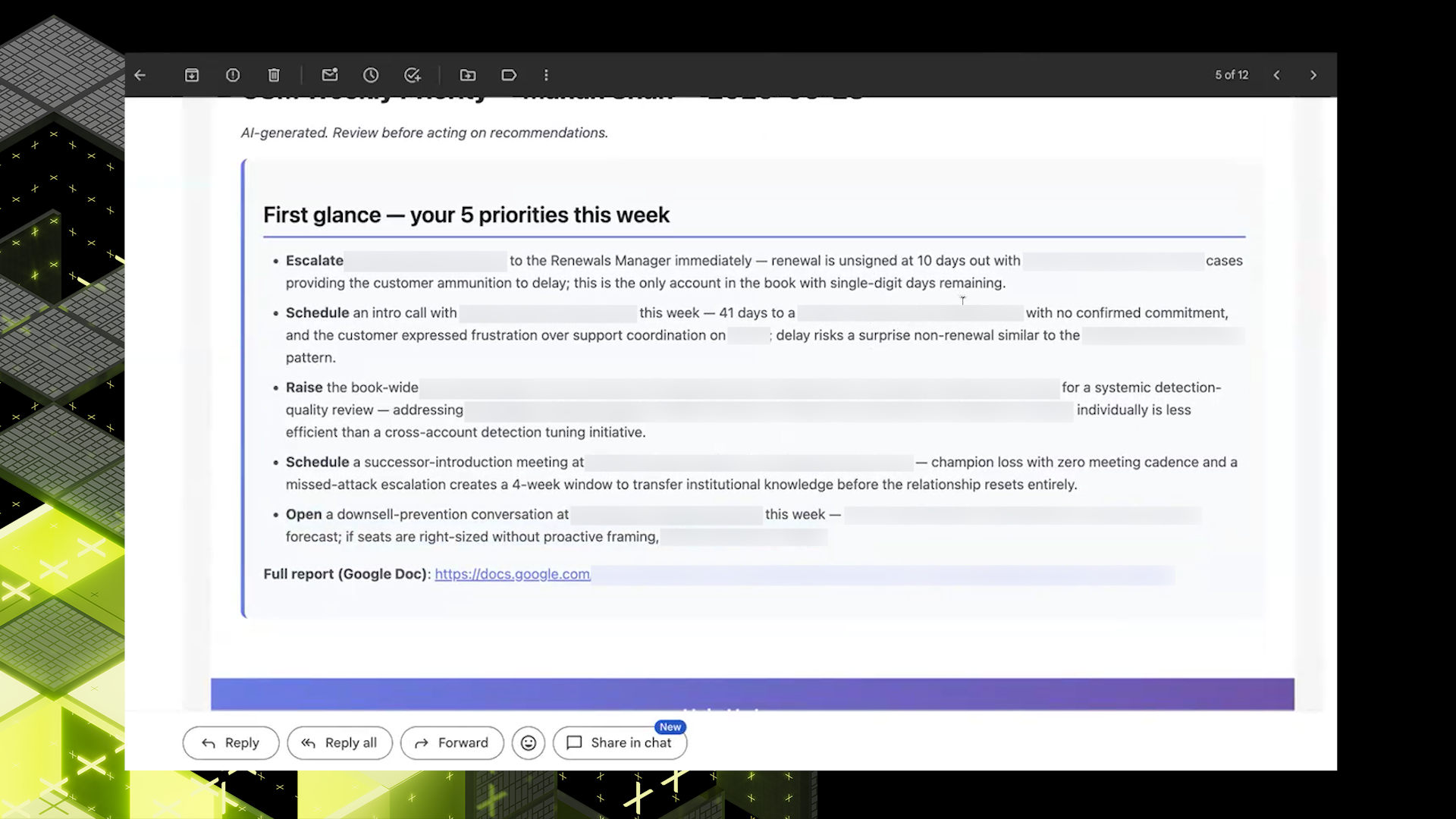
Truong Nguyen built CSM Workbench, a weekly prioritization workflow for Customer Success. In this first episode, he shows how the system surfaces the top 10 accounts to focus on, then packages that weekly output into five tailored priorities delivered through email and a Google Doc.
One Weekly Risk View
Customer Success managers were already doing the judgment work. The problem was that weekly prioritization still depended on memory, scattered signals, and whatever context a CSM could assemble in time.
Customer Success managers can carry 50 to 100 accounts, which makes weekly prioritization hard before the work even starts.
The issue was not effort. It was the lack of one consistent view across the signals they already use.
Three frictions kept stacking up for CSMs:
- They had to piece together risk from memory, calls, emails, interactions, and other scattered context.
- The work was manual and time-consuming, which made it hard to stay consistent week over week.
- Without one structured view, it was harder to see which renewals or account changes deserved attention first.
That left prioritization too dependent on what a person happened to remember, rather than on a repeatable weekly system.
One Weekly Account Queue
CSM Workbench consolidates those signals into a single weekly workflow. It fetches data from the systems CSMs already use, including Salesforce, Databricks, Google Sheets, and other account sources, scores accounts against reason codes and risk factors, and packages the result into a ranked weekly output.
- Surfaces the top 10 accounts to focus on at the start of the week
- Distills the week into five personalized priorities for each CSM
- Tags each account with a priority tier such as Escalate, Path to Green, or Monitor, plus supporting reason codes
- Adds a three-line rationale so the CSM can understand the case quickly before digging deeper
- Looks past a green health score to surface hidden risk from sentiment and product adoption signals
"How can we surface the top 10 accounts on a Monday morning that CSM should go and spend their time?" — Truong Nguyen
The shift is simple but important. Instead of asking each CSM to remember everything, the system starts with a ranked queue and a rationale, which makes prioritization faster and more consistent before anyone decides what action to take next.
Time Back, Risk Forward
This first episode is less about replacing judgment and more about giving it a better starting point. For CSMs, the value is a clear Monday queue. For CS leaders, the value is a more consistent definition of risk across similar books of business.
- CSMs start the week with a ranked queue instead of a blank search across tools
- Hidden renewal and utilization risk can surface earlier, before it disappears behind a healthy-looking score
- Leaders get a more consistent way to talk about risk across accounts, not just individual gut feel
- The workflow creates a foundation for recommended action plans, not just prioritization
The next step is the one Truong names in the demo: once the workbench surfaces the right accounts, add a recommended action plan so CSMs can move from identifying risk to acting on it in the same flow.
What Early Users Noticed
An early user framed the workbench as more than another dashboard. In practice, it gave them a high-level view of their book, highlighted the renewals that needed attention, and made shifts in adoption easier to spot before they were missed.
That reaction is the bigger signal. At Abnormal, the strongest internal AI workflows do not just summarize information; they reorganize how people decide what to do next, and this episode shows how CS can start that shift with weekly account prioritization.
