重要なインサイト
The FBI's 2025 Internet Crime Report logged $3.046 billion in business email compromise losses. An attacker who obtains a password or a session token can sign in as the user and read, send and hide mail as the owner would. Protecting an email account takes layered controls rather than one strong barrier.
Those layers are phishing-resistant sign-in, limits on which apps and devices reach the mailbox, watched mailbox settings, monitoring that ties sign-ins to mailbox behavior, and a recovery plan. Each targets a different stage of email account takeover, from the stolen credential to the forwarding rule that outlasts a password reset.
Working through Microsoft 365 and Google Workspace side by side, this guide covers sign-in hardening, OAuth and session controls, and the mailbox settings attackers change once they are in. The last two sections deal with spotting a compromise early and containing one that has already happened.
What Threatens an Email Account?
Email account takeover usually starts with stolen credentials or session tokens rather than malware, and most of these paths are built to get around multi-factor authentication (MFA) rather than to guess a password:
Fake Login Pages Harvest Passwords: Credential phishing sends users to a lookalike Microsoft 365 or Gmail sign-in page that captures what they type.
Leaked Passwords Open Reused Accounts: Credential stuffing replays passwords exposed in an unrelated breach against work accounts, and it lands wherever someone reused one.
Repeated Prompts Wear Users Down: In MFA fatigue attacks, an attacker who already holds the password sends push notifications until the user approves one by accident or out of annoyance.
Proxies Capture the Signed-In Session: Adversary-in-the-middle kits relay the real sign-in page, capture the session cookie after MFA completes, and replay it to skip authentication.
Consented Apps Keep Access Without a Password: A malicious OAuth app persuades a user to grant mailbox permissions, and that access survives a password reset and an MFA challenge.
Inbox Rules Hide the Attacker: After sign-in, attackers create rules that forward mail externally or move messages into folders the owner rarely opens.
Only credential phishing and credential stuffing depend on password strength. The rest work against accounts that already have MFA.
How Do You Secure Sign-In to an Email Account?
Secure sign-in depends on phishing-resistant MFA and on closing the protocols and conditions that let an attacker skip it.
Phishing-Resistant Multi-Factor Authentication
FIDO2 security keys and passkeys resist proxy phishing because each credential is bound to the domain that created it and works only on the site where it was registered. SMS codes, app codes and push approvals have no such binding, and an adversary-in-the-middle attack relays them to the real service in real time.
The methods differ in whether a proxy sitting between the user and the real service can reuse what the user hands over:
MFA Method | Phishing Resistance | Main Weakness |
FIDO2 keys and passkeys | Resistant | Weaker fallback methods left enabled |
Push with number matching | Not resistant | Relayed by proxy kits, though matching stops blind approval |
Authenticator app codes | Not resistant | Codes relayed in real time |
SMS and voice | Not resistant | SIM swap, plus the same relay |
Both major platforms can enforce FIDO2 keys and passkeys. Microsoft Entra's phishing-resistant authentication strength, applied through Conditional Access, allows Windows Hello for Business, FIDO2 security keys and certificate-based authentication. Google Workspace's security key option for 2-Step Verification accepts both security keys and passkeys.
Conditional Access and Legacy Authentication
Conditional access evaluates a sign-in against device state, location and risk. In Entra ID, policies can require a compliant device or block sign-ins that Identity Protection scores as risky. Google Workspace Context-Aware Access controls app access by identity, device security status, IP address and location in its higher editions.
Legacy protocols remain the common bypass:
Basic Authentication Does Not Support MFA: Protocols such as IMAP, POP and basic-auth SMTP authenticate with a password alone, which makes blocking them a high-value conditional access policy. The usual shape is a policy targeting legacy clients with Block access, started in report-only mode and excluding one emergency account.
Exchange Online Has Already Retired Most Basic Auth: SMTP AUTH is the notable exception, and it needs checking per mailbox instead of being assumed off.
Google Has Retired Password-Only Mail Access: Workspace accounts no longer permit password-only IMAP, POP and CalDAV, and admins can restrict IMAP to OAuth mail clients.
Auditing which legacy protocols remain enabled per mailbox is usually faster than reasoning about which ones should be.
Password Policy and Breached-Password Checks
Email password security still matters where accounts fall back to passwords. NIST's digital identity guidelines make length the main requirement, prohibit composition rules and forced periodic changes, and require checking new passwords against a blocklist of common, expected or compromised values. Password managers remove the reuse that credential stuffing depends on.
How Do You Control Which Apps and Devices Reach the Mailbox?
Restricting OAuth consent, reviewing existing grants and shortening session lifetimes close an access path that survives password resets:
Consent Policy Limits What Users Can Approve: In Entra ID, user consent settings sit under Enterprise apps, then Consent and permissions, where consent can be restricted to apps from verified publishers or to permissions classified as low impact. An admin consent workflow lets blocked users request approval instead of working around the policy.
Existing Grants Need a Separate Review: Changing consent settings does not touch grants that already exist. Admins revoke admin consent grants in the portal and user consent grants through Microsoft Graph or PowerShell, with a tenant-wide export of every grant as the starting point.
Google Classifies Apps by Trust Level: API controls let admins mark each third-party app as trusted, limited or blocked, or limit it to specific OAuth scopes, with OAuth log events recording which apps users authorize.
Consent controls decide what an app may be granted, while session and device controls decide how long a grant or a stolen token stays useful. Entra sign-in frequency forces reauthentication on a schedule, continuous access evaluation lets Exchange Online revoke sessions close to real time, and token protection binds tokens to the device.
Which Email Account Settings Do Attackers Abuse?
Attackers hide and persist through settings the mailbox owner rarely opens, with suspicious rules and recently added external forwarding among the clearest signs of a compromised account:
Inbox Rules Redirect and Bury Replies: Get-InboxRule -Mailbox <Identity> -IncludeHidden lists every rule, including hidden ones, and a nonblank RedirectTo, ForwardTo or ForwardAsAttachmentTo value shows where mail goes.
External Forwarding Copies Every Message Out: Setting automatic forwarding to off in the Microsoft outbound spam policy blocks inbox-rule and SMTP forwarding externally, and Google admins can clear the forwarding permission or limit it to internal addresses.
Delegates Read and Send as the User: Get-EXOMailboxPermission shows Full Access and Get-RecipientPermission shows Send As, both to confirm against what the owner authorized.
Recovery Details Let an Attacker Reclaim the Account: Google's audit events record recovery email and phone edits, and Entra Identity Protection flags new authentication methods registered under suspicious circumstances.
Point-in-time checks miss changes made between audits, which puts the weight on continuous reporting. The Exchange admin center's auto-forwarded messages report surfaces forwarding as it appears, while Purview audit searches for New-InboxRule and Set-InboxRule show who created each rule. CISA's Secure Cloud Business Applications project publishes secure configuration baselines for Microsoft 365, Exchange Online among them, so a team has a known-good state to measure drift from. Abnormal's Posture Management is designed to alert on risky posture changes in Microsoft 365, new forwarding rules among them.
How Do You Spot a Compromised Email Account Early?
Security teams spot compromise by comparing sign-in locations against mailbox activity, because each signal read on its own can look routine.
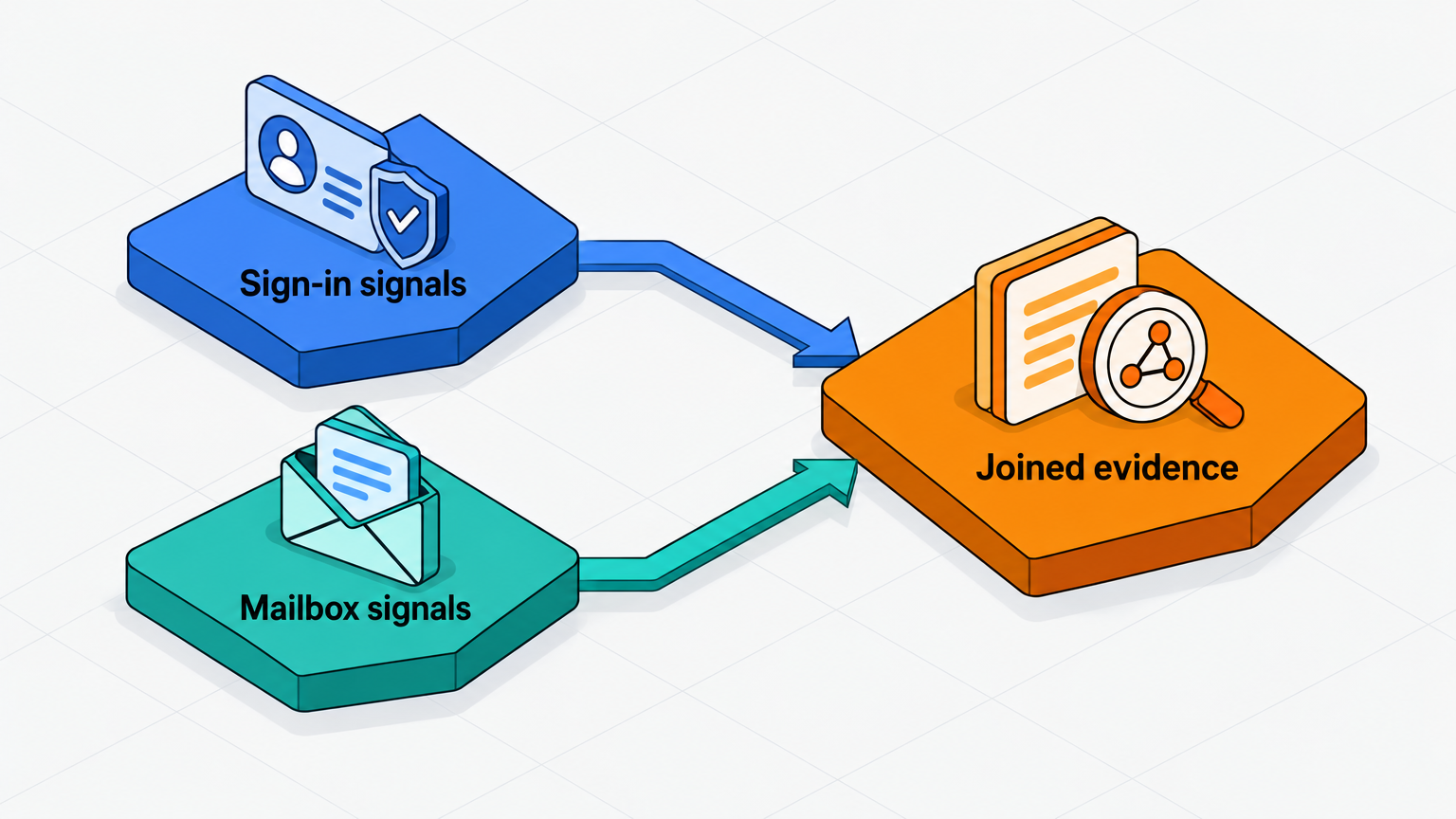
On the sign-in side, Entra Identity Protection raises detections such as impossible travel, anomalous token and attacker-in-the-middle, which links a session to a malicious reverse proxy. Google Workspace raises suspicious login alerts for unusual sign-in patterns, and its login audit events record 2-Step Verification changes and new passkey enrollments. On the mailbox side, Defender alert policies cover the creation of forwarding and redirect rules, suspicious forwarding activity and suspicious sending patterns.
Joining the two sides makes the signal clear. Checking the IP address behind a new inbox rule against the user's usual sign-ins turns an ambiguous configuration change into evidence, because a strange login shortly before rule creation points to takeover, not to the user tidying their mailbox.
Internal phishing from a real account is the hardest case to catch, since the message comes from a colleague's genuine mailbox and passes sender authentication. Abnormal's Account Takeover Protection uses behavioral AI and can help identify compromised accounts from login and device behavior rather than from the content of the message.
What Should You Do When an Email Account Is Compromised?
Containment comes before investigation, because an attacker with a live session keeps acting while logs are reviewed.
Block sign-in and revoke sessions. Disabling the account until the investigation ends is the safer default, and revoking sign-in sessions invalidates refresh tokens and browser cookies. In Google Workspace, resetting sign-in cookies signs the user out everywhere.
Reset the password through a channel other than email. App passwords can survive a reset in Microsoft environments, and synced directory passwords are reset twice. Google revokes app passwords on a password change, while OAuth tokens need separate revocation.
Re-register MFA, which deletes the user's existing phone numbers and authenticator registrations and removes any method an attacker added after a proxy phishing session.
Remove inbox rules, forwarding, delegates and app grants, recording each forwarding address before deleting the rule.
Review sign-in and audit logs from before the first suspicious activity, using Entra sign-in logs, unfiltered Defender audit searches and Google's user, Gmail and OAuth log events.
Check what was sent and read, using message trace and Sent Items for outbound mail and the mail items accessed audit action for what the attacker opened.
Notify contacts who received mail from the account during the compromise window, especially anyone who received a payment or credential request.
A compromised cloud mailbox often carries more than one means of persistence. Removing rules, forwarding, delegates and app grants runs even when the password reset appears to have ended the intrusion.
Keeping Email Accounts Protected Over Time
Account protection runs as a cycle. Phishing-resistant sign-in and blocked legacy protocols reduce initial access, while consent policies and session controls limit what a stolen token or rogue app can reach. Audits of forwarding, rules, delegates and recovery settings remove the places an attacker hides, and monitoring that joins sign-in and mailbox signals shortens detection.
Abnormal's Account Takeover Protection is designed to help identify compromised accounts and automate remediation such as password resets. Explore Account Takeover Protection to see how Abnormal reads sign-in and mailbox behavior together.
Frequently Asked Questions
Is multi-factor authentication enough to protect an email account?
No, MFA protects an account only as well as the method allows. Proxy phishing kits relay SMS codes, app codes and push approvals, while FIDO2 keys and passkeys resist that relay. Attackers can also skip MFA through legacy authentication on protocols such as IMAP and POP where it remains enabled. OAuth app grants keep mailbox access after a password reset, which puts consent controls alongside MFA rather than after it.
How do hackers get into email accounts without the password?
Attackers often steal the session instead of the password. A proxy phishing page captures the session cookie after the user completes MFA and replays it to sign in. A completed MFA prompt is no guarantee the session that follows belongs to the user, which is why analysts revoke sessions instead of only resetting passwords. A malicious app can also gain mailbox access through an OAuth consent screen the user approves.
What are the signs that an email account has been hacked?
The clearest signs are new inbox rules or external forwarding the user did not create. Sign-ins from unfamiliar locations or devices, and newly registered MFA methods, are also strong indicators. Messages in Sent Items or Deleted Items that the user did not send, unexpected lockouts, and colleagues reporting odd requests from the account point the same way.
Should users get their own email security training?
Yes, training works best when it focuses on the attacks that lead to takeover. Users benefit from learning to recognize fake login pages, unexpected MFA prompts and consent screens requesting broad mailbox permissions.