
Custom Code for Every Field
Salesforce enrichment has always been necessary, but painfully slow. Previously, every new field automation required custom engineering work, manual analysis of historical data, prompt creation and iteration, and deployment through centralized teams.
Each field took roughly a week to implement, even though the underlying process was highly repetitive. At the same time, GTM teams had limited control. If they wanted to tweak how a field was populated, they had to go through engineering, creating friction and slowing iteration.
Shifting to Config-Driven Automation
The new Salesforce Enrichment Platform flips this model entirely. Instead of building custom logic for each field, the system introduces one shared AI engine with a config-driven interface.
Now, users can:
- Select a field from a catalog
- Analyze historical data automatically
- Generate prompts using AI
- Test outputs in real time
- Deploy automation themselves
This replaces a week-long engineering cycle with a guided, self-service workflow.
How It Works in Practice
The platform follows a simple but powerful sequence:
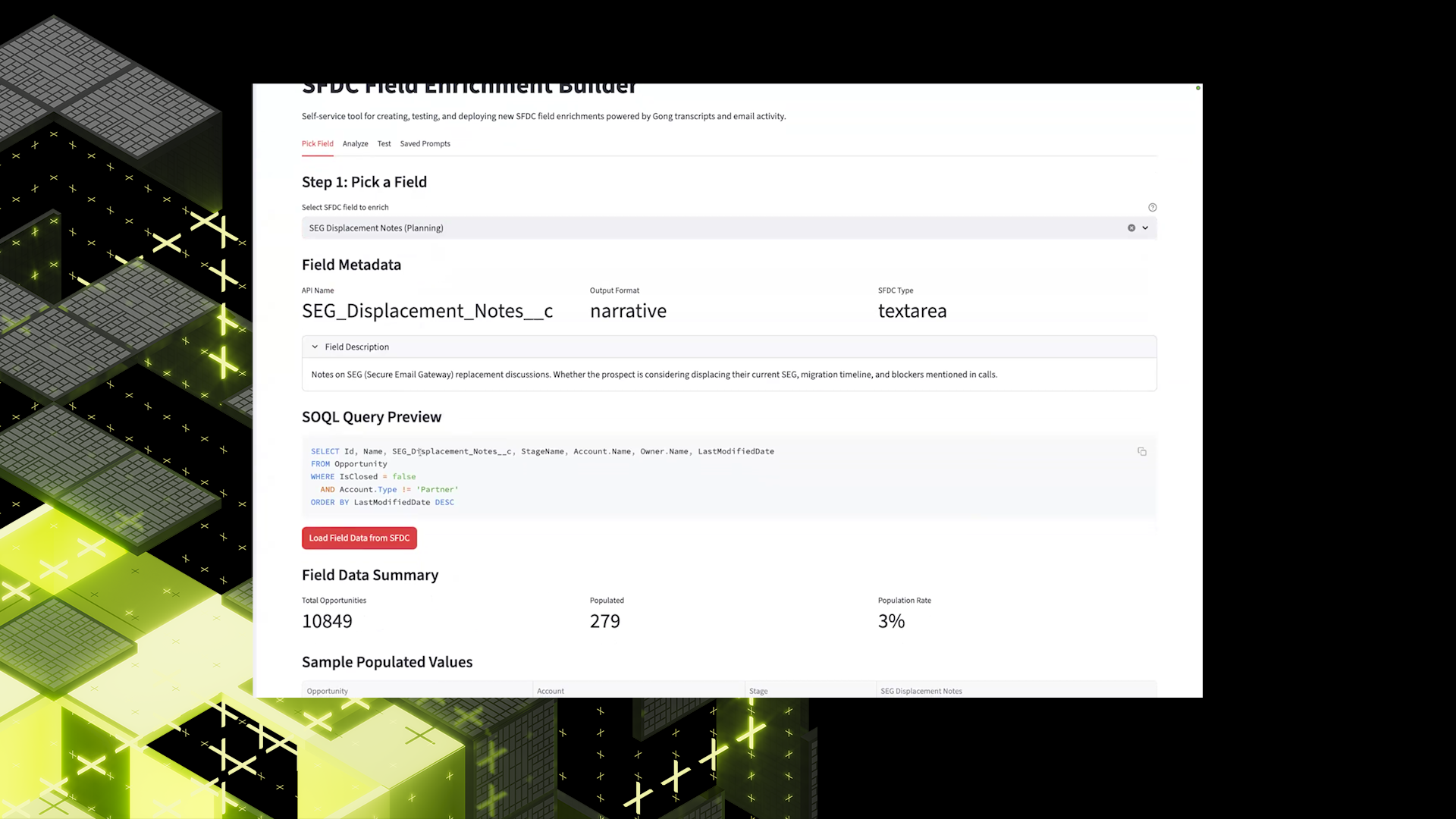
- Select a Field: Users choose the Salesforce field they want to automate (e.g., segmentation displacement).
- Analyze Historical Data: The system pulls past examples and uses AI to identify common patterns, formatting styles, tone and structure, and what "good" vs. "bad" entries look like. This step effectively encodes best practices directly from existing data.
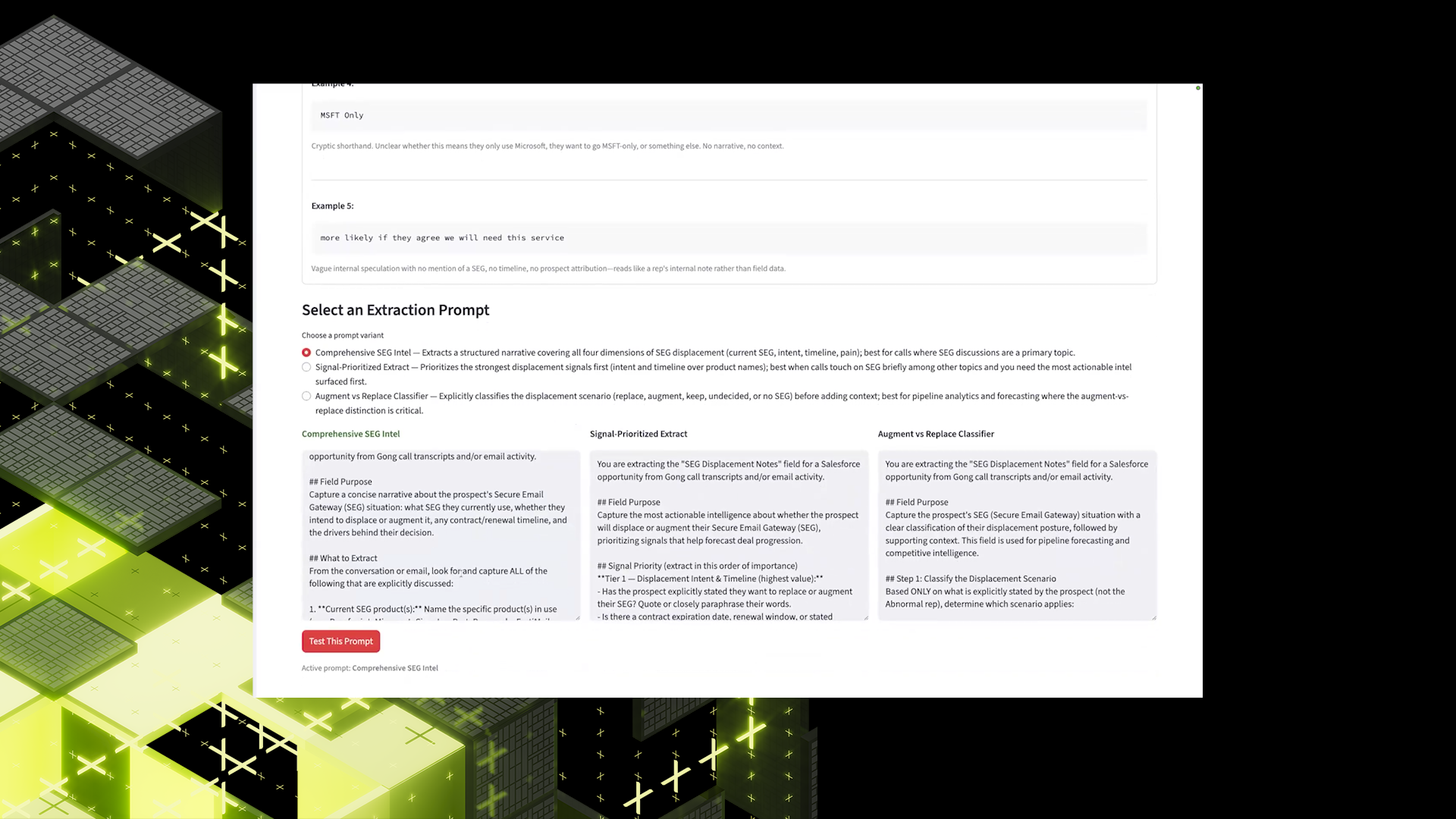
- Generate Prompts: Instead of requiring users to write prompts from scratch, the system provides multiple AI-generated options. Users can select the one that best fits their needs, dramatically reducing iteration time.
- Test Before Deployment: Users can run automated tests or manually test using a specific opportunity ID. This allows them to validate outputs end-to-end without writing to Salesforce yet.
- Launch Automation: Once satisfied, users deploy the automation. The system picks it up in the next run cycle and begins updating fields automatically.
Speed and Control
This new approach delivers two major improvements. What used to take roughly one week per field now takes 45 minutes to an hour total — in some cases even faster, with field selection dropping to under a minute, analysis to under three minutes, and prompt iteration and testing to 15–30 minutes.
For the first time, GTM teams can directly influence how fields are populated, iterate on prompts themselves, and test and validate outputs without engineering. This removes a major bottleneck and enables faster experimentation.
Real World Testing
In early testing, multiple users collaborated on a single field, built and refined a prompt in roughly 15 minutes, tested outputs with downstream stakeholders, and received positive feedback across the board.
This validated both the usability of the system and the quality of the generated outputs.
This project represents a broader evolution in how internal AI systems are built and used. Instead of centralized, slow, engineering-led automation, we move toward distributed, user-driven, AI-powered workflows.
It also has cascading benefits, including better Salesforce data for better forecasting, better data for better downstream AI tools, and more iteration for faster improvement cycles.
What's Next
The platform is still in controlled rollout, with access limited to trusted users. Next steps include expanding access across GTM teams, refining prompt generation and testing flows, improving validation and guardrails, and continuing to reduce time-to-deploy even further.
The long-term vision is clear: a fully self-serve CRM enrichment system where any field can be automated, tested, and deployed in minutes, without engineering dependency.