
Five Streams, No System
An SDR's day is spread across a lot of different accounts, and they don't all come from the same place. There are inbound accounts, marketing qualified leads, whitespace accounts sitting in a rep's territory, prospecting accounts tied to the AEs they support, and closed-lost or disqualified opportunities that are primed to re-engage.
Each of those streams needs a different prioritization model. A DQ'd account that's worth another look is not scored the same way as a fresh inbound lead. Today those models live in isolation, as one-off scripts or weekly Nora emails, which makes it hard to know which accounts are actually worth a rep's time.
That fragmentation also makes the work impossible to measure. When four or five different things are running separately, tracking usage and effectiveness, which is what actually tells you whether a tool is working, does not scale.
The Copy-Paste Tax
Tim shared a picture that SDRs and leaders kept describing to him. A rep gets an email with their top 20 DQ'd accounts, then has to copy each one, switch over to Salesforce, and add it to a queue by hand. Every list creates a little more manual work and another round of tab-switching.
The one-off Cowork skills had the same ceiling. A rep could build a script to prioritize their inbound accounts and share it with the team, which is genuinely useful, but it leaned on a person being in the loop every time it ran. Helpful once, hard to scale to everyone.
Precompute, Then Surface
The fix starts with moving the expensive work off the rep's plate. Every prioritization tool runs on Nora Cloud on a schedule, once per SDR and once per AE or CSM counterpart, and the outputs get persisted to both S3 and Google Drive.
That scheduling detail is the whole point. Instead of waiting for an account prioritizer to churn through all thousand of their accounts in real time, a rep opens Cowork and the results are already there, refreshed daily or weekly. The heavy computation happens in the background so the rep only ever sees the finished list.
One Hub, Every Stream
The results land in the Nora Hub, a Cowork skill that reads in all of those Google files and lays every stream out in a single view. It's the single pane of glass that replaces the scattered emails and scripts.
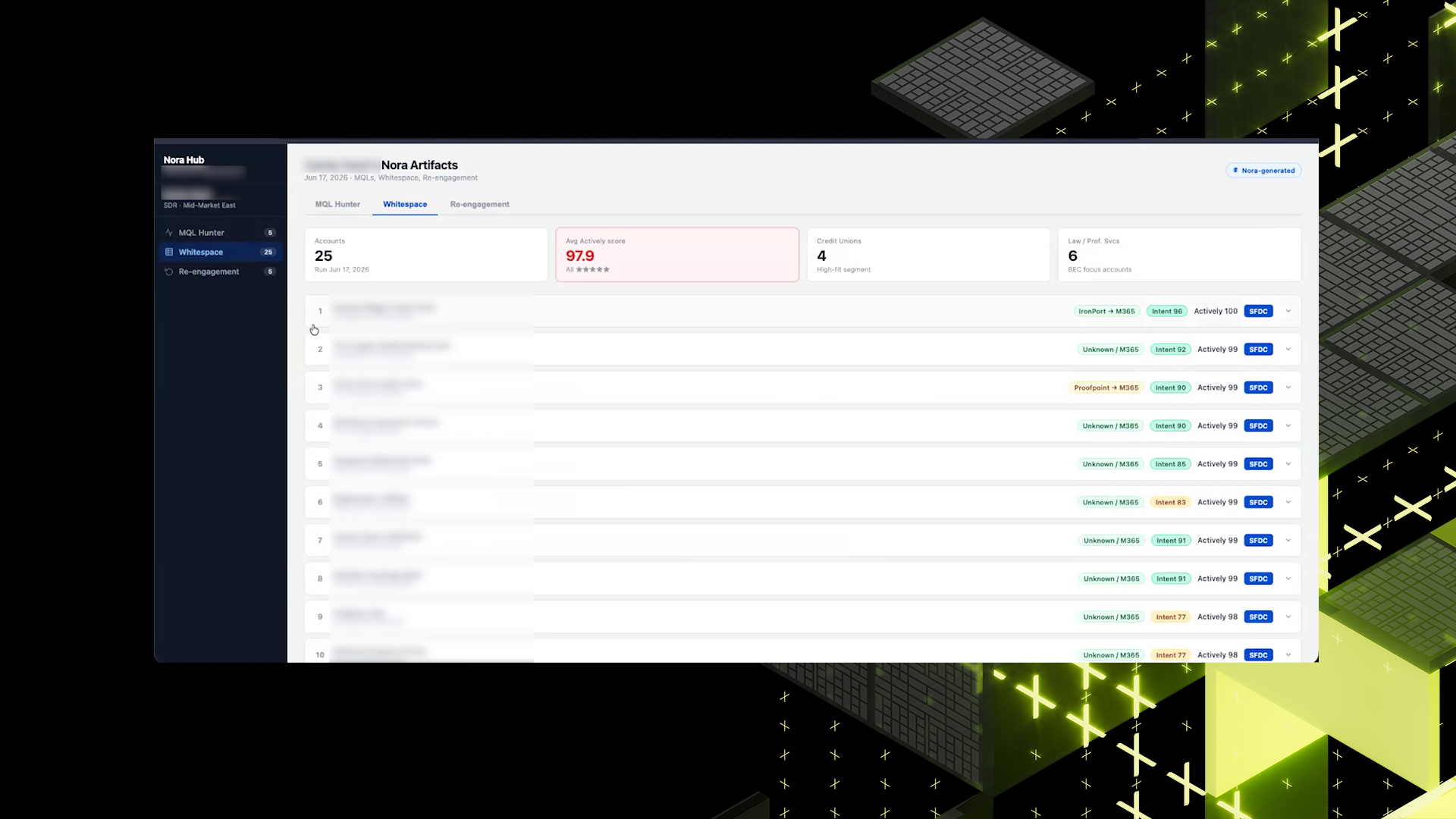
Whitespace shows a rep their top 25 hot accounts. Click one and you get a brief and the contacts, with hooks into other skills like mass outreach or the cold email skill, plus a jump straight to Salesforce or into an Outreach sequence. Re-engagement surfaces the top accounts this week with DQ'd opportunities worth another shot, each one opening to the history of why it was disqualified or closed-lost, notes, the pain points that came up, and a short read on how to approach it again.
From there a rep can generate a draft email that saves to their draft folder. The inbound section rounds it out with the hottest marketing qualified leads, their scores, and intel on each lead.
The Account Fingerprint
Running AI scoring across every account, every day, gets expensive fast. So Tim added an account fingerprint. If an account's 6sense score moves by a single point, that probably isn't enough of a change to justify re-running the entire AI workflow on it.
The fingerprint catches those small, meaningless shifts and skips the recompute, which keeps the whole system from burning cycles on accounts that haven't really changed. And because the hub is a Cowork skill, reps can customize and extend it as they see fit.
Closing the Feedback Loop
Because everything runs through one hub, the Workbench can watch what happens next. Of all the accounts surfaced to a rep this week, which ones did they actually engage? Which responded? Was new pipeline generated? Were opportunities created?
A simple pull of Salesforce activity after an account was surfaced answers whether the AI prioritization is genuinely working, which reps are opening the hub, and which accounts they're reaching out to. That same data doubles as an enablement signal, flagging when someone isn't using the tool the way it's meant to be used. The three streams run standalone today, but pulling them under one roof is what turns account prioritization into something you can actually measure and improve.
What's Next
The immediate step is a pilot. Tim is aiming to get the Workbench into the hands of five pilot users with JJR and Sarah, with the plan to come back in a couple of weeks with feedback and a longer list of additions.
The tool also has obvious room to grow beyond prospecting. Tim floated a tab for pre- and post-meeting artifacts, and a view into a rep's pipeline where they could see the opportunities they hold or sourced and run something like the pipeline intelligence tool to sort generated from qualified pipeline. That would give SDRs a bit more oversight without leaving the hub.
There's a nice reusability story here too. The same architecture extends cleanly to the AE and CSM counterparts already baked into the scheduling.
Along the way Tim also built a small Cowork skill that sanitizes uploaded demo artifacts automatically, something he used to do by hand every time. It's a good reminder that once you're building on Cowork, the annoying one-off chores become skills too.